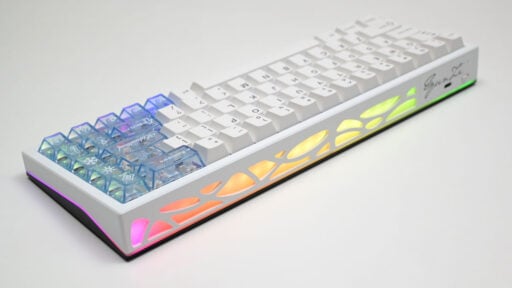
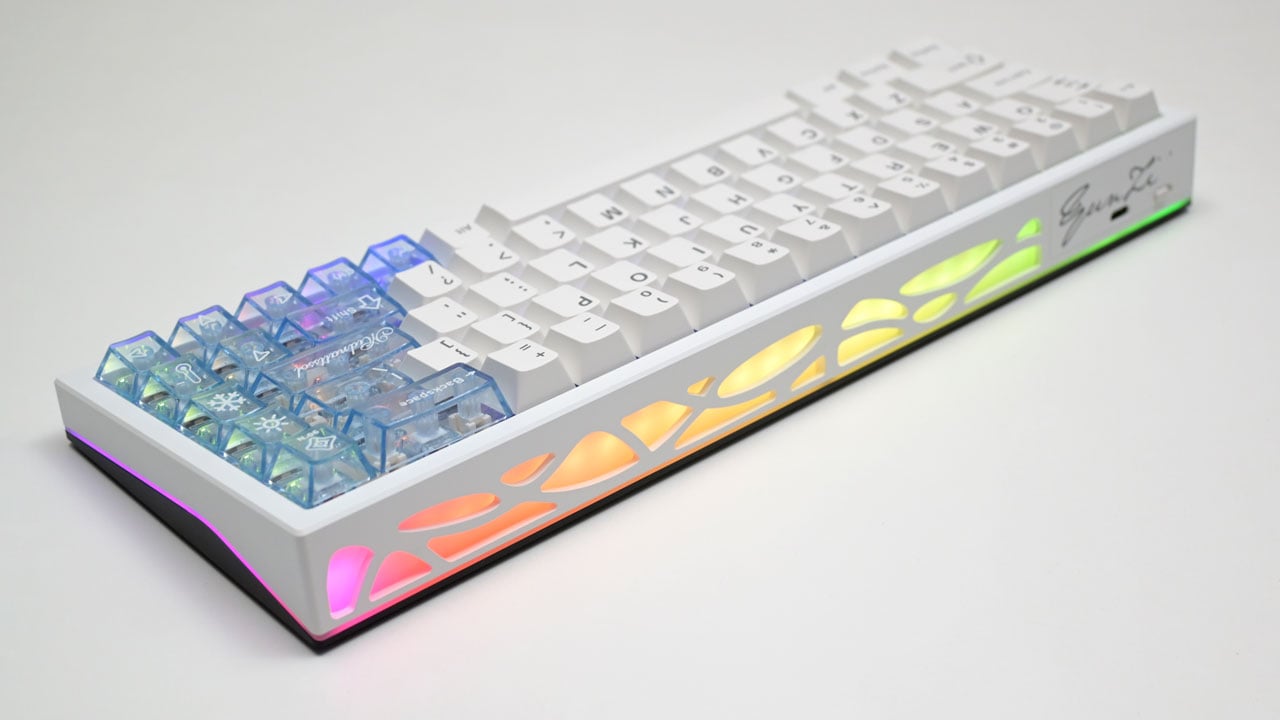
Aluminum keyboards often come with a hefty price tag, but YUNZII shakes things up with the AL65. It’s a tri-mode CNC-anodized aluminum keyboard featuring a hollow design, hot-swappable switches, QMK/VIA customization, and more, all for under $69 USD with the promo attached.
Disclosure: YUNZII supplied the AL65 for this review, but all opinions and impressions expressed are completely my own.
Table of Contents:
Technical Specifications
The YUNZII AL65 packs plenty of features into a compact design. It can switch between at least three systems thanks to its tri-mode connectivity. The battery is impressive, boasting a whopping 8000 mAh capacity. This is the white version, equipped with Gateron Zero linear switches.
| Keyboard | |
|---|---|
| Design | 65% |
| Type | Mechanical |
| Mount | Gasket |
| Anti-Ghosting | NKRO |
| Polling Rate | 1000 Hz, 125 Hz (Bluetooth) |
| Connectivity | USB 2.0, 2.4 GHz RF, Bluetooth 5.0 |
| Switch | |
| Type | Gateron Zero, Linear |
| Operating Force | 45 gf |
| Dimensions | |
| Length | 319.4 mm |
| Width | 110 mm |
| Height | 39.9 mm |
| Weight | 1061 g |
Packaging and Accessories
YUNZII packaged the AL65 in a simple yet effective way, featuring cutouts clearly inspired by the keyboard’s hollow design.

Scope of delivery are as follows:
- YUNZII AL65 keyboard
- USB Type-C to Type-A cable
- USB Type-A dongle
- Keycap and switch puller combo
- Extra keycaps
- Extra switches
- Documentation(s)
Design, Build and Connectivity
The YUNZII AL65 has a surprising heft for a compact 65% keyboard, thanks to its impressive build quality – the very reason it feels so solid. If someone had told me years ago that this was a $300 USD custom board, I wouldn’t have doubted it for a second. The AL65 looks absolutely great in White, but it is also available in a black trim.

The AL65 Lite features four silicon feet but with no range of angle adjustment. This base is also made out of aluminum, which means YUNZII provided an ample amount of dampening to stop the switches from pinging. Such measures includes the gasket mount, a polycarbonate plate, foam, switch pad, a transparent film, yet another layer of foam and a PET film.

The AL65 offers connectivity through 2.4 GHz RF via dongle, Bluetooth, and a wired option. With its additional Bluetooth channels, you can connect it to up to five devices.

Ergonomics
The AL65 features a standard 65% layout with a total of 68 keys. While you’ll lose the numpad with this layout, you’ll free up plenty of desk space for your mouse. That makes it a popular layout for serious gamers and for those who need a compact keyboard for their desk space.

The AL65 Lite offers two linear switch options: YUNZII’s own Milk V2 or Gateron’s Zero. The Milk V2 has a 40 gf actuation force, while the Gateron Zero on our review unit is slightly heavier at 45 gf. Both are linear switches, comes with south-facing LEDs and offers stabilizers for keys that requires them. Keycaps on the other hand are double-shot and are very well made.

The typing angle is about 5°, making it comfortable and easy to use, especially for those familiar with mechanical keyboards. Combined with its smooth switches, dampened internals, and user-friendly angle, the YUNZII AL65 is a joy to type on.

Software
The VIA web UI keeps things straightforward, skipping the software bloat in favor of a clean, web-based design. After pairing the AL65, you’re taken straight to the mapping page. This keyboard offers seven layers of mapping, a great set of features for squeezing every bit of performance out of a 65% board. The only drawback is that it needs an internet connection whenever you want to tweak settings. There’s a desktop version, but so far, I haven’t been able to get it working with this keyboard.

There are plenty of lighting effects, with separate controls for the underglow and key backlight. I’m not big on RGB myself, but if you’re particular about your palette, you can fine-tune it here to achieve a specific look.

Input Lag
The AL65 cleared our input lag tests with ease. USB and 2.4 GHz are nearly identical, averaging 7.31 ms and 8.67 ms respectively. Bluetooth comes in at 18.61 ms, which is fine for general tasks, but for anything needing quick reactions, the dongle is the way to go.
Polling Rate
The AL65 maintains an almost steady 1000 Hz polling rate in both wired and 2.4 GHz wireless modes, which is ideal for gaming. Over Bluetooth, the rate drops to 125 Hz, but that’s the typical limit for the protocol.
Actuation Force
The AL65 we have comes with Gateron Zero switches, offering an actuation force of 45 gf, a pre-travel of 2 mm, and a maximum travel of 3.6 mm. From my testing, they feel quite consistent overall, with no noticeable issues on most keys. That said, the spacebar does feel easier to actuate compared to the rest. Not a deal breaker, but definitely something to keep in mind.
Final Thoughts
The YUNZII AL65 makes a strong case for itself in the budget aluminum keyboard space. Its CNC-anodized aluminum body, gasket mount, and multiple layers of dampening give it a build quality that punches well above its price point. Typing feel is smooth and consistent thanks to the Gateron Zero switches, and the tri-mode connectivity with a massive 8000 mAh battery means it can comfortably handle both desk and travel use without frequent charging.
Performance backs up the build quality. Input lag over USB and 2.4 GHz is low enough for competitive use, and the 1000 Hz polling rate holds steady in both wired and dongle modes. Bluetooth is noticeably slower, but that’s expected of the protocol and still fine for everyday typing.
The only real drawbacks are software related. VIA’s web-based configurator requires an internet connection to make changes, and the desktop client did not work during testing. Minor actuation inconsistency on the spacebar is also worth noting, though it did not affect the overall typing experience.
For under $69, the AL65 delivers a level of fit and finish that used to be reserved for keyboards several times its price. It is an easy recommendation for anyone looking for a compact 65% board that does not compromise on build quality.
YUNZII AL65 $69

Product Name: AL65
Product Description: The YUNZII AL65 is a tri-mode, 65% mechanical keyboard with a gasket mount design, hot-swappable switches, and an 8000 mAh battery, all housed in a CNC-anodized aluminum case.
Brand: YUNZII
Summary
The YUNZII AL65 is a tri-mode 65% mechanical keyboard with a CNC-anodized aluminum case, gasket mount, and Gateron Zero switches. It delivers premium build quality, low input lag, and a massive 8000 mAh battery, all for under $69.
Pros
- CNC-anodized aluminum build that feels far more premium than its price suggests
- Gasket mount and multiple dampening layers
- Low input lag on both USB and 2.4 GHz connections
- Stable 1000 Hz polling rate over wired and wireless (non-Bluetooth) modes
- Large 8000 mAh battery supports extended use between charges
- Excellent lighting effects via the hollow CNC-milled design
Cons
- Spacebar actuation force felt noticeably lighter than other keys
- No built-in angle adjustment