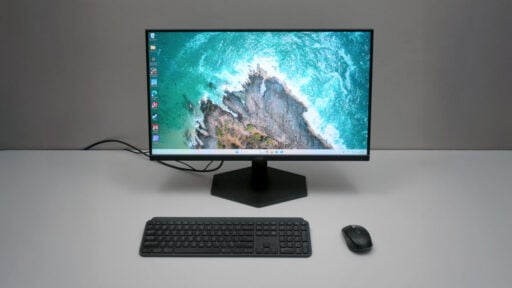
This review dives into the AOC Gaming 27G11ZE2, a 27-inch Fast IPS display with an impressive 240 Hz refresh rate. With a price tag of around ₱9,695 PHP, this monitor is designed to provide an immersive gaming experience for budget-conscious gamers.
Disclosure: AOC supplied the 27G11ZE2 for review without any conditions or input affecting our assessment.
Table of Contents:
Technical Specifications
The AOC Gaming 27G11ZE2 is a 27-inch gaming monitor with a Full HD (1920 x 1080) Fast IPS panel, offering a 240 Hz refresh rate and a 1 ms GtG response time. It boasts 123% sRGB and 92% DCI-P3 color gamut coverage for vibrant visuals.
| Display | |
|---|---|
| Panel Size | 27 in |
| Panel/Backlight | IPS |
| Surface Treatment | Non-Glare |
| Resolution | 1920 x 1080 (16:9) |
| Pixel Density | 108.79 ppi |
| Refresh Rate | 240 Hz |
| Variable Refresh Rate | Adaptive-Sync |
| Brightness | 300 cd/m2 |
| Contrast Ratio | 1000:1 |
| Response Time | 0.3 ms MPRT, 1 ms GtG |
| Color Coverage | 130% sRGB, 95% DCI-P3 |
| Color Depth | 8-bit |
| Connectivity | |
| Display | HDMI 2.0, DisplayPort 1.4 |
| USB | N/A |
| Audio | 3.5 mm (Out) |
| Ergonomics | |
| VESA Mount | 100 x 100 mm |
| Pivot | N/A |
| Swivel | N/A |
| Tilt | -5°/+20° |
| Lift | N/A |
| Anti-strain | Flicker-Free |
| Dimensions | |
| Length | 614.6 mm |
| Width | 49.3 mm |
| Height | 362.3 mm |
| Weight | 3.60 kg (w/o stand) |
Packaging and Accessories
The AOC Gaming 27G11ZE2 is packed inside a box packaging.
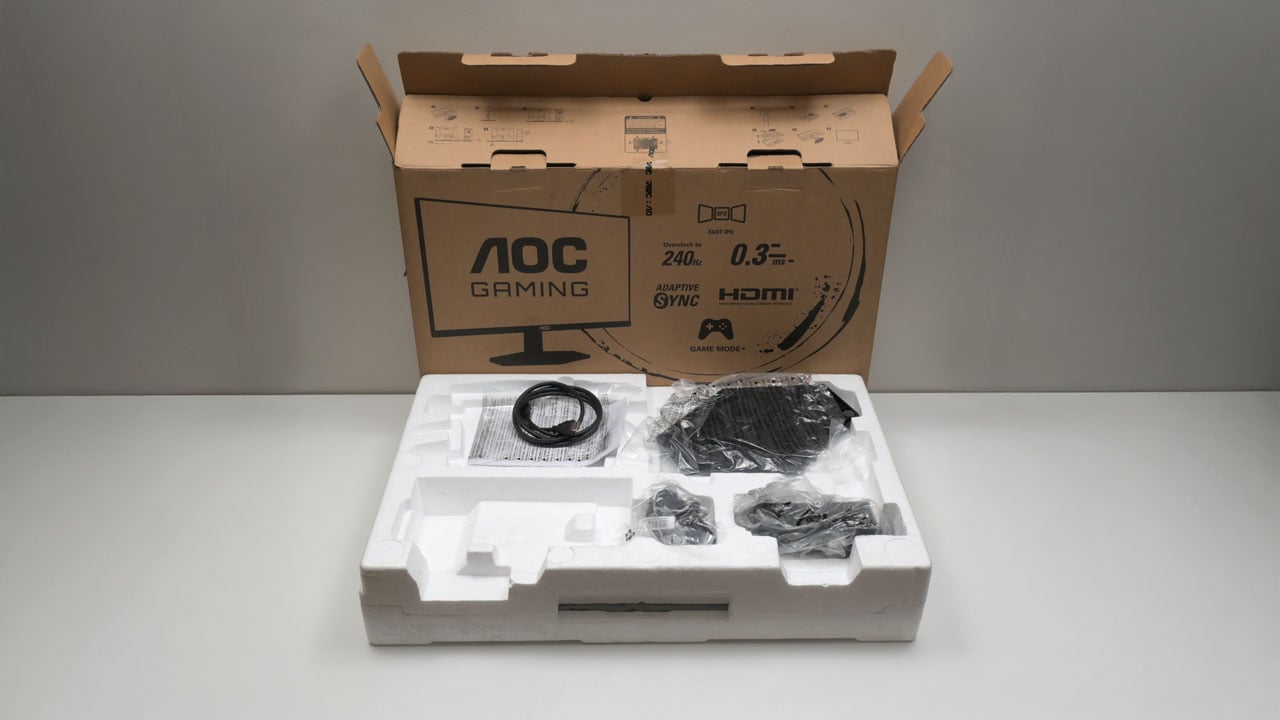
Scope of delivery are as follows:
- AOC Gaming 27G11ZE2 monitor
- Power adapter
- Power cable
- HDMI cable
- Documentation(s)
Design, Build and Connectivity
The AOC Gaming 27G11ZE2 is a straightforward 27-inch gaming monitor. Its front facing design isn’t flashy, which aligns perfectly with my preference.

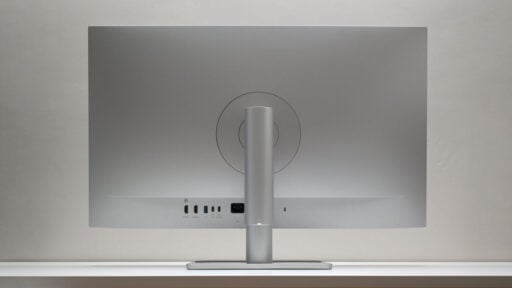
The back of the 27G11ZE2 features a sleek, gaming-inspired design with sharp edges and accents. Weighing in at a mere 3.6 kilograms, it should be compatible with most 100 x 100 VESA mounting solutions.

One noticeable drawback of the 27G11ZE2 is the use of multiple buttons instead of a joystick, a setup I find less appealing based on my experience with previous AOC monitors.
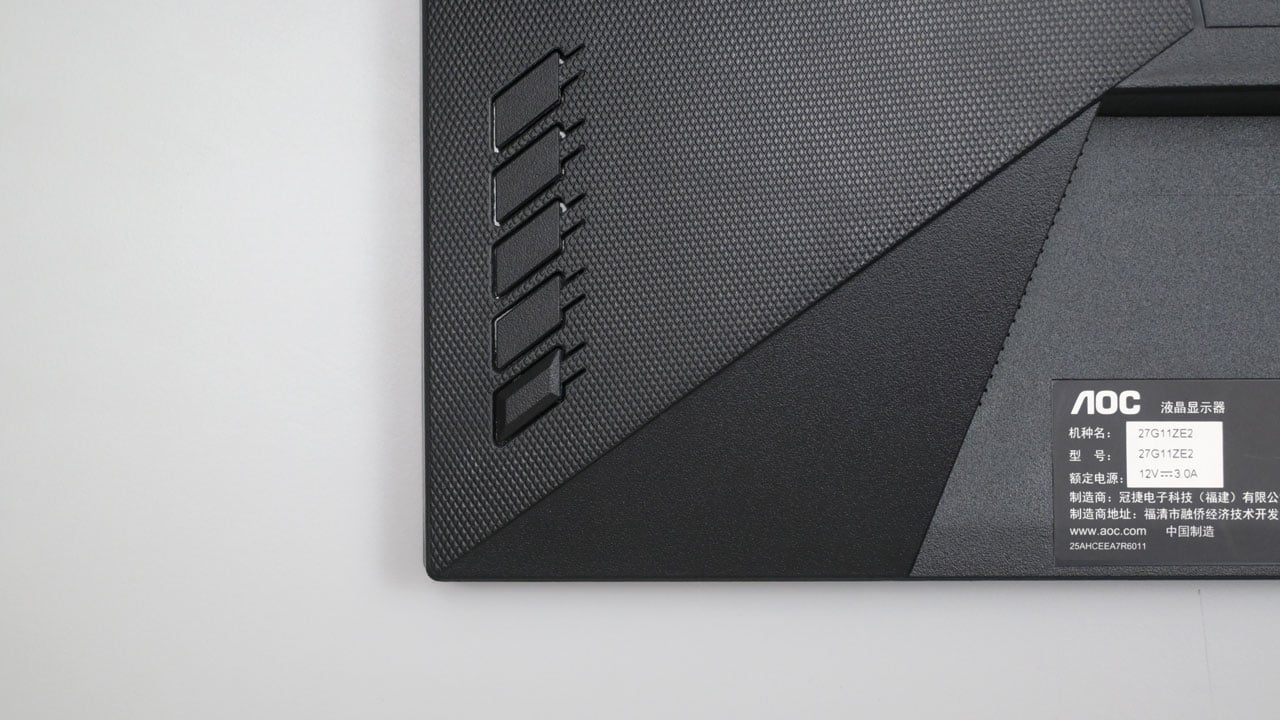
Connectivity options are basic. We have a single DisplayPort, an HDMI port, a 3.5 mm headset port, a Kensington lock, and a barrel plug for the external DC adapter.
Ergonomics
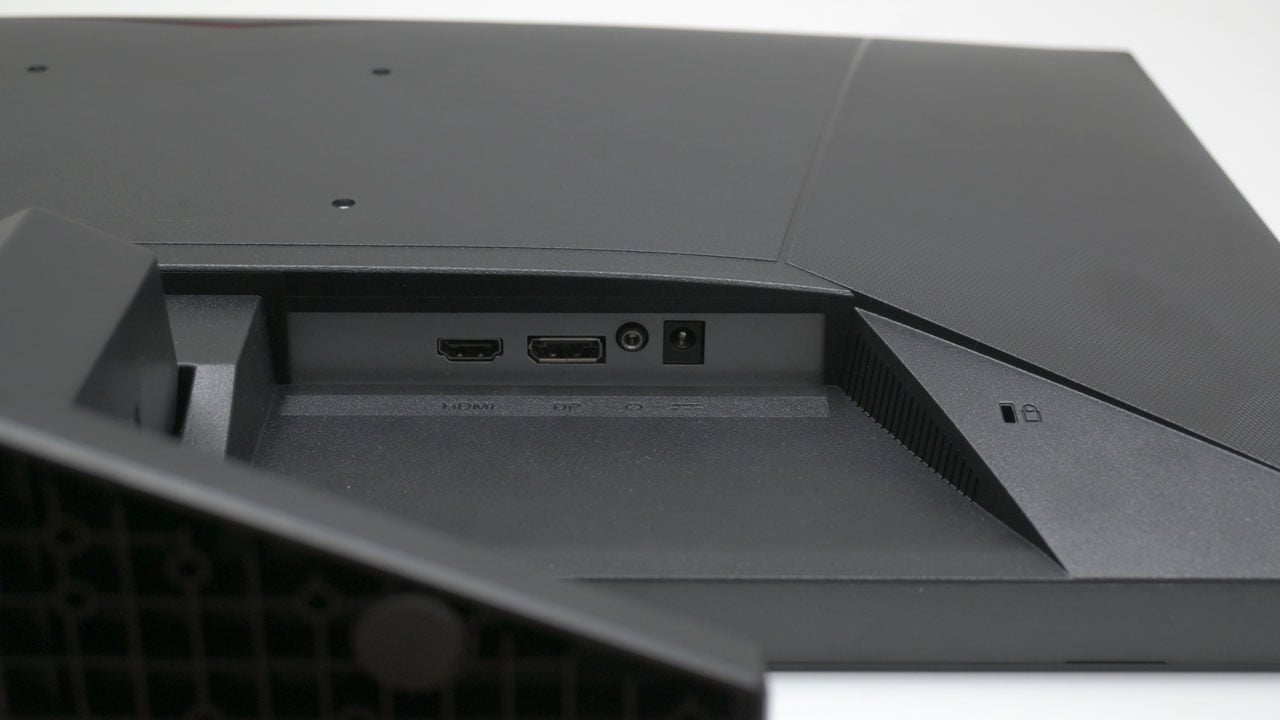
The AOC Gaming 27G11ZE2 is a 27-inch monitor with a 1920 x 1080 resolution, offering a decent pixel density of 81.59 PPI. To enhance clarity with this pixel density, it’s best to position the monitor at least an arm’s length away.
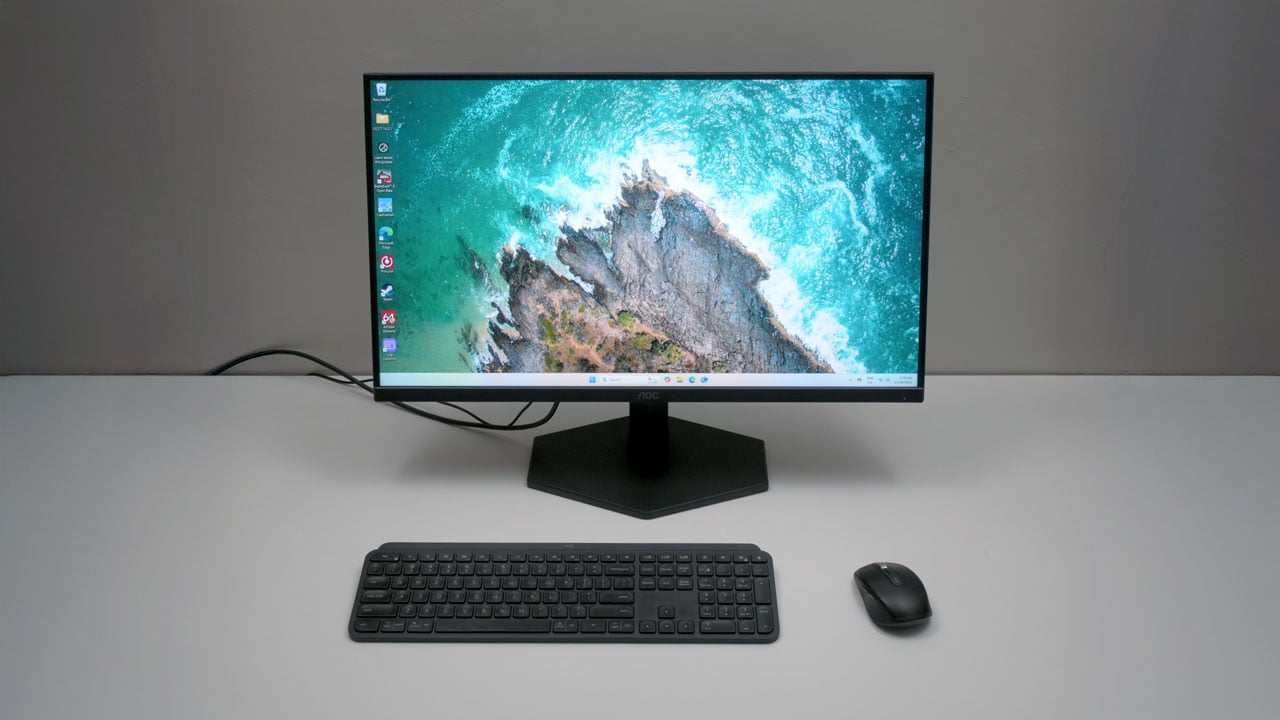
The 27G11ZE2 has a limited tilting range, so I recommend pairing it with a capable VESA stand if you need greater tilt flexibility, height adjustment, swivel, and pivot options.
OSD Menu
The 27G11ZE2 features an improved OSD menu compared to older non-joystick AOC models. However, this menu suits joystick or d-pad style controls better, as I find its linear array of buttons a chore to navigate. The first option on the menu is Game Setting, where you can adjust most of the monitor’s gaming-related features.

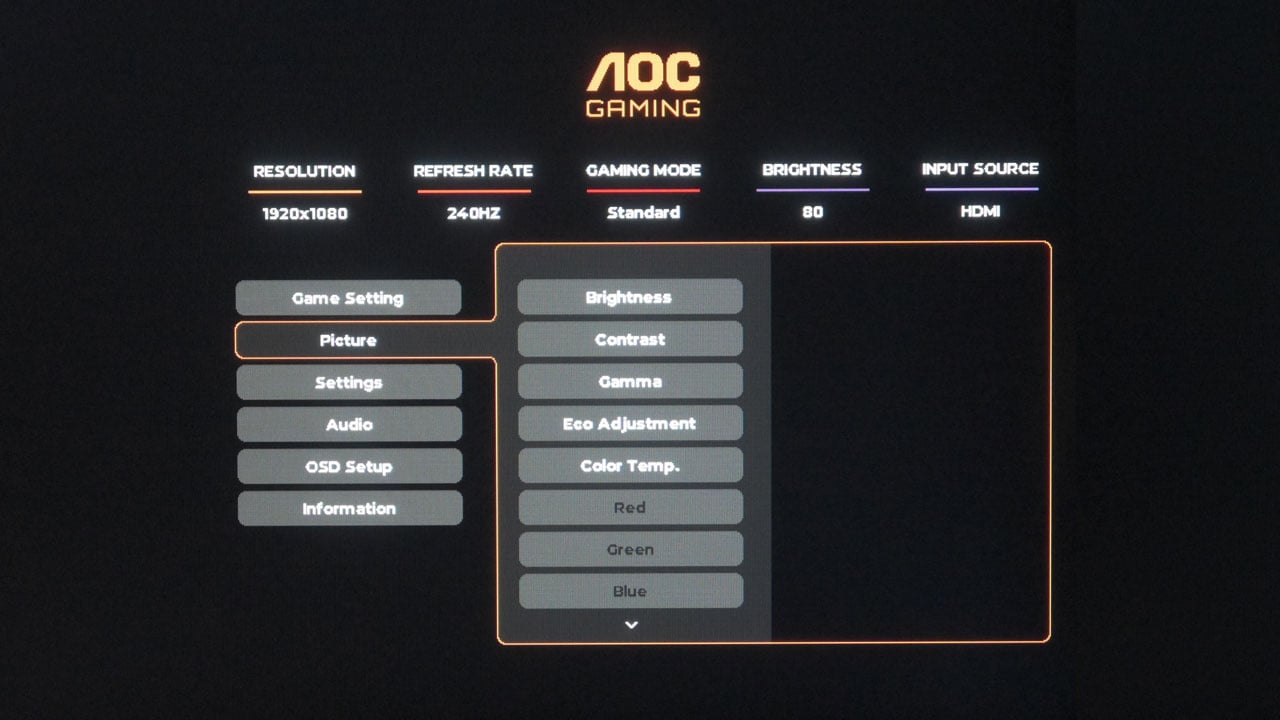
The Picture menu lets you choose a preset and tweak settings like brightness, contrast, gamma, and color temperature. Keep in mind that some options might be unavailable depending on the preset.
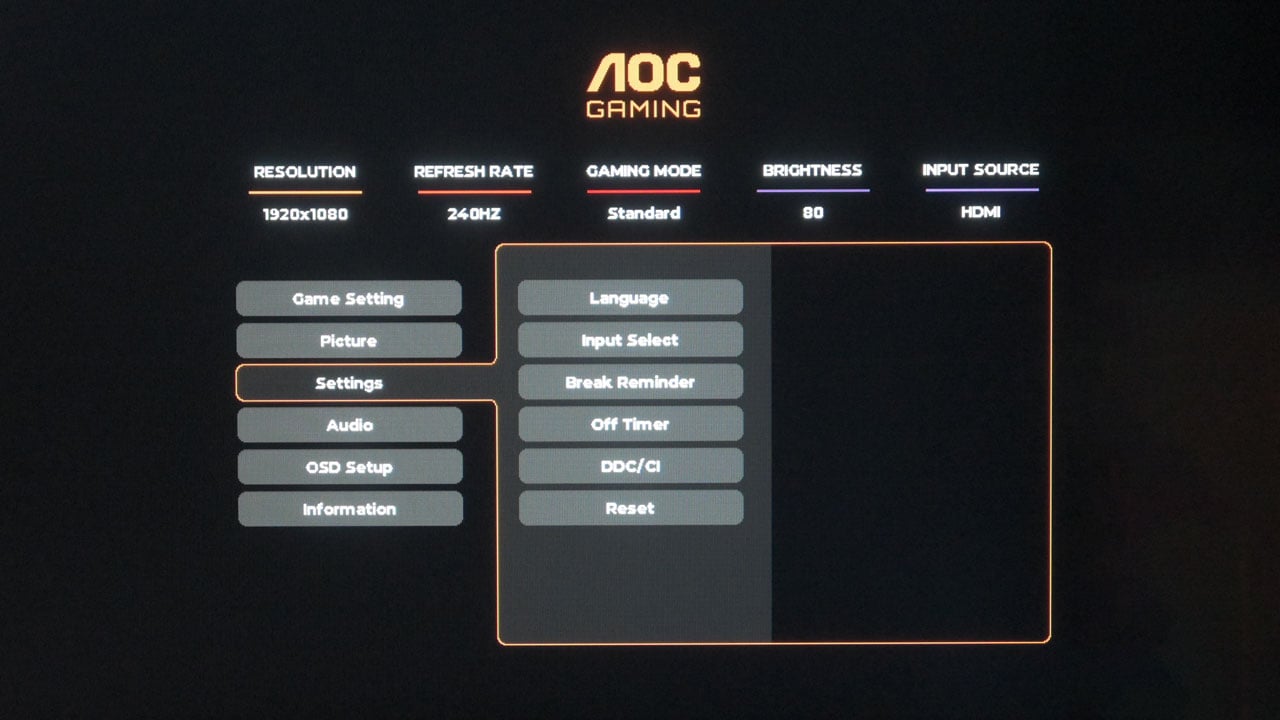
The Settings menu allows you to manually choose input options, adjust the display language, activate break reminders, and set the off timer for the 27G11ZE2.
OSD Presets
The AOC Gaming 27G11ZE2 includes seven picture presets including all three custom modes. For simplicity, we chose the Standard mode as the basis for calibration.
| Spyder5 ELITE | OSD Settings | ||||
|---|---|---|---|---|
| Settings | Brightness (cd/m²) | Black Level (%) | Contrast (:) | White Point (K) |
| Standard | 140.8 | 0.21 | 660:1 | 8600 |
| FPS | 234.1 | 0.36 | 660:1 | 7700 |
| RTS | 227.0 | 0.34 | 660:1 | 7700 |
| Racing | 229.3 | 0.36 | 640:1 | 7700 |
| Gamer 123 | 212.0 | 0.31 | 680:1 | 7700 |
OSD settings are as follows:
- Preset = Standard
- Brightness = 43 (120 cd/m²)
- Contrast = 50
- Color Temperature = Normal
- Gamma = 2.2
If you wish to try the calibrated profile for the 27G11ZE2, send us an email via the contact page.
Gamut
The 27G11ZE2 provides solid sRGB and DCI-P3 color space coverage, but its performance with AdobeRGB and NTSC (if that’s still relevant) falls short for professional-level tasks.
| Spyder5 ELITE | Gamut, Percent (%) | ||||
|---|---|---|---|---|
| Color Space | sRGB | AdobeRGB | DCI-P3 | NTSC |
| Measured | 99 | 88 | 92 | 85 |
Tone Response
The tone responses are slightly out of spec, but they’re pretty close to the standard values.
| Spyder5 ELITE | Tone Response, Gamma (γ) |
|||||
|---|---|---|---|---|---|
| Settings | 1.8 | 2.0 | 2.2 | 2.4 | 2.6 |
| Measured | 1.7 | 1.9 | 2.1 | 2.3 | 2.5 |
Brightness and Contrast
The brightness level is decent, with the 27G11ZE2 reaching a peak of 279.3 cd/m², slightly below AOC’s stated 300 cd/m². In terms of contrast, the best result achieved was 810:1 at 75% brightness and contrast levels – excluding the typical boost at 0%.
| Spyder5 ELITE | Brightness and Contrast, SDR | ||||
|---|---|---|---|---|
| Settings | Brightness (cd/m²) | Black Level (%) | Contrast (:) | White Point (K) |
| 0% | 19.5 | 0.00 | 9750:1 | 7400 |
| 25% | 69.3 | 0.16 | 440:1 | 7500 |
| 50% | 153.2 | 0.24 | 650:1 | 7600 |
| 75% | 244.3 | 0.30 | 810:1 | 8100 |
| 100% | 279.3 | 0.36 | 780:1 | 8100 |
Screen Uniformity
The 27G11ZE2’s color uniformity isn’t the best I’ve seen, but it’s decent with a Delta-E average of 1.77.

The luminance uniformity isn’t very good for this particular panel, with a Delta-E of 12.11 average.

Color Accuracy
The AOC Gaming 27G11ZE2 delivers impressive performance with an average color accuracy of 0.71, ranking among the best results I’ve encountered.

Response Time
The 27G11ZE2 offers an impressive average perceived response time of 5.76 ms. The RGB overshoot stays at an excellent 0.4%, leading to a solid overall visual response score of 88.62. This performance is achieved with the Faster overdrive setting at 240 Hz, as other overdrive options proved less effective.

Input Lag
The 27G11ZE2 boasts an impressive average display latency of 3.96 milliseconds at its native resolution and refresh rate, making it an excellent choice for competitive gaming.
Power
At 120 cd/m² brightness, the 27G11ZE2 consumes around 19.47 watts of power and delivers solid performance across various brightness levels. This panel can reach nearly 300 cd/m² while using just under 30 watts of power.
Final Thoughts
The AOC Gaming 27G11ZE2 sets out to deliver a high-performance gaming experience on a budget, and it largely succeeds. Its main draws are undoubtedly the fluid 240 Hz refresh rate, excellent response time, and impressively low input lag, which are critical for competitive gaming. The color accuracy is another standout feature, delivering vibrant and true-to-life visuals that punch well above its price point of ₱9,695 PHP.
However, to achieve this attractive price, AOC has made some noticeable compromises. The monitor’s ergonomics are quite limited, essentially requiring a separate VESA mount for any meaningful adjustment. Additionally, the button-based OSD navigation feels outdated and cumbersome compared to the joystick controls found on many competing models. While luminance uniformity and contrast levels are acceptable for gaming, they may not satisfy users with more demanding creative or professional needs.
Ultimately, the AOC Gaming 27G11ZE2 is an excellent value proposition for gamers who prioritize raw performance – speed, responsiveness, and color – over physical adjustability and premium build features. If your primary goal is to gain a competitive edge without breaking the bank, this monitor is a formidable contender that is easy to recommend.
AOC Gaming 27G11ZE2 240 Hz Monitor ₱9,695

Product Name: 27G11ZE2
Product Description: The AOC Gaming 27G11ZE2 is a high-refresh, 27-inch Full HD gaming monitor with a Fast IPS panel and ultra-low response time.
Brand: AOC
Summary
The AOC Gaming 27G11ZE2 is a budget-friendly gaming monitor delivering excellent performance with its 240 Hz refresh rate, low input lag, fast response times, and great color accuracy. It sacrifices ergonomics, luminance uniformity, and OSD navigation to maintain its low price.
Pros
- Excellent value for the price (₱9,695 PHP)
- Fast 240 Hz refresh rate for smooth, fluid gameplay
- Impressive response time with minimal overshoot
- Very low input lag, ideal for competitive gaming
- Outstanding color accuracy for its class
- Good sRGB and DCI-P3 color gamut coverage
Cons
- Limited ergonomics with only basic tilt adjustment
- Clunky OSD navigation due to buttons instead of a joystick
- Mediocre luminance uniformity
How are the monitor response time at the panel’s 200Hz max refresh rate?
I see that in the monitor default max refresh rate are 200Hz, and 240Hz refresh rate are a overclock setting that need to be enable from the monitor OSD to use it at 240Hz refresh rate. Is there a thing people should know when using the monitor 240Hz overclock settings?