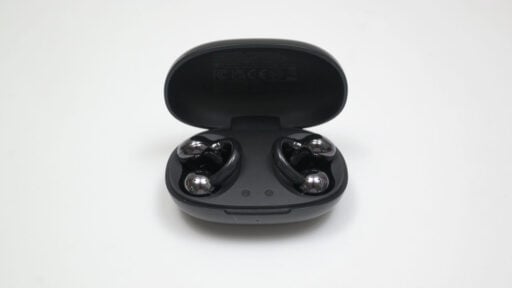
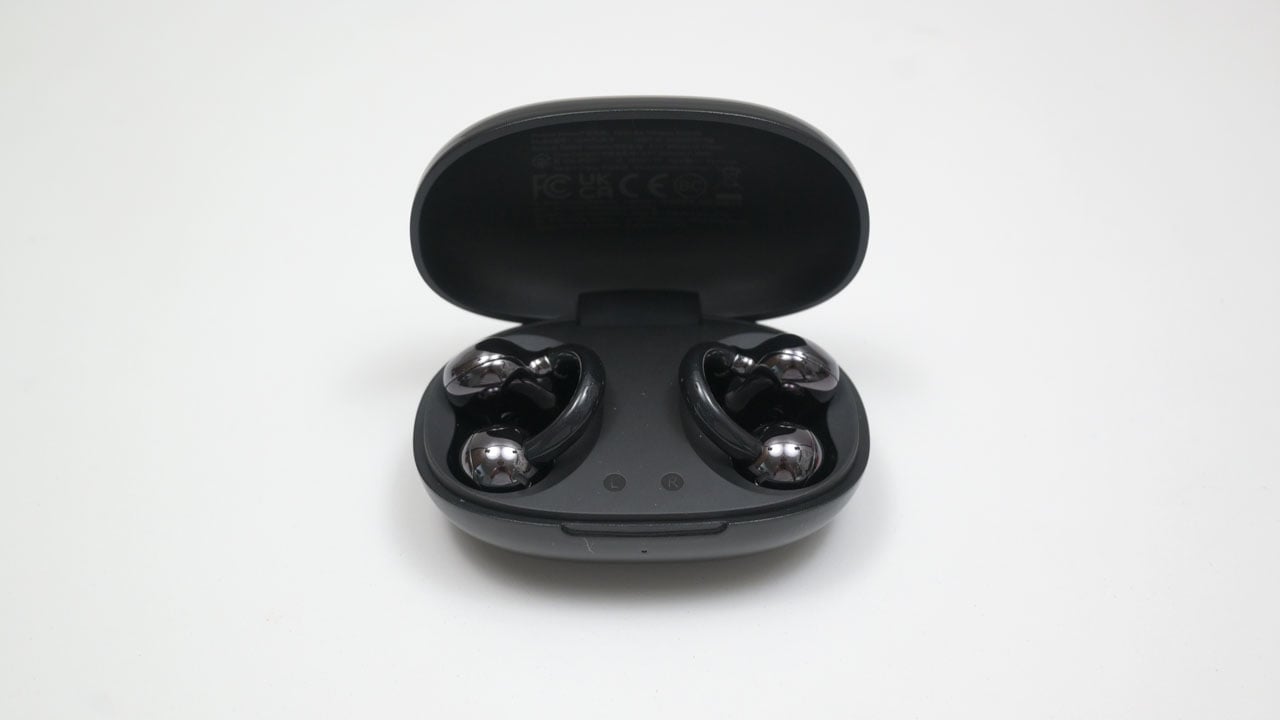
Today we’re checking out the OpenRock E, a unique pair of earbuds priced at a budget-friendly $50 USD (₱2,930). For its price, the OpenRock E packs Bluetooth 6.0 connectivity, an IPX4 rating, and an ultra-lightweight glass-friendly design weighing just 4 grams each.
Disclosure: The OpenRock E has been provided as a sample for free. Regardless, the brand has nothing to say about our review.
Table of Contents:
Technical Specifications
The OpenRock E is a lightweight, open-ear earbuds featuring a pair of 10 mm transducers and Bluetooth 6.0. It has up to 7 hours of playback time on a single charge, with a total of 28 hours run time with the battery case included. The OpenRock E comes with a game mode, allowing the earbuds to feature 60 ms of latency.
| Earphones | |
|---|---|
| Transducer | 10 mm, Dynamic |
| Frequency Response | N/A |
| Impedance | N/A |
| Sensitivity | N/A |
| THD | N/A |
| Connectivity | Bluetooth 6.0 |
| Microphone | |
| Transducer | N/A |
| Polar Pattern | N/A |
| Frequency Response | N/A |
| Sensitivity | N/A |
| Dimensions | |
| Length | N/A |
| Width | N/A |
| Height | N/A |
| Weight | 42 g (with case) |
Packaging and Accessories
The OpenRock E comes in a simple boxed packaging.
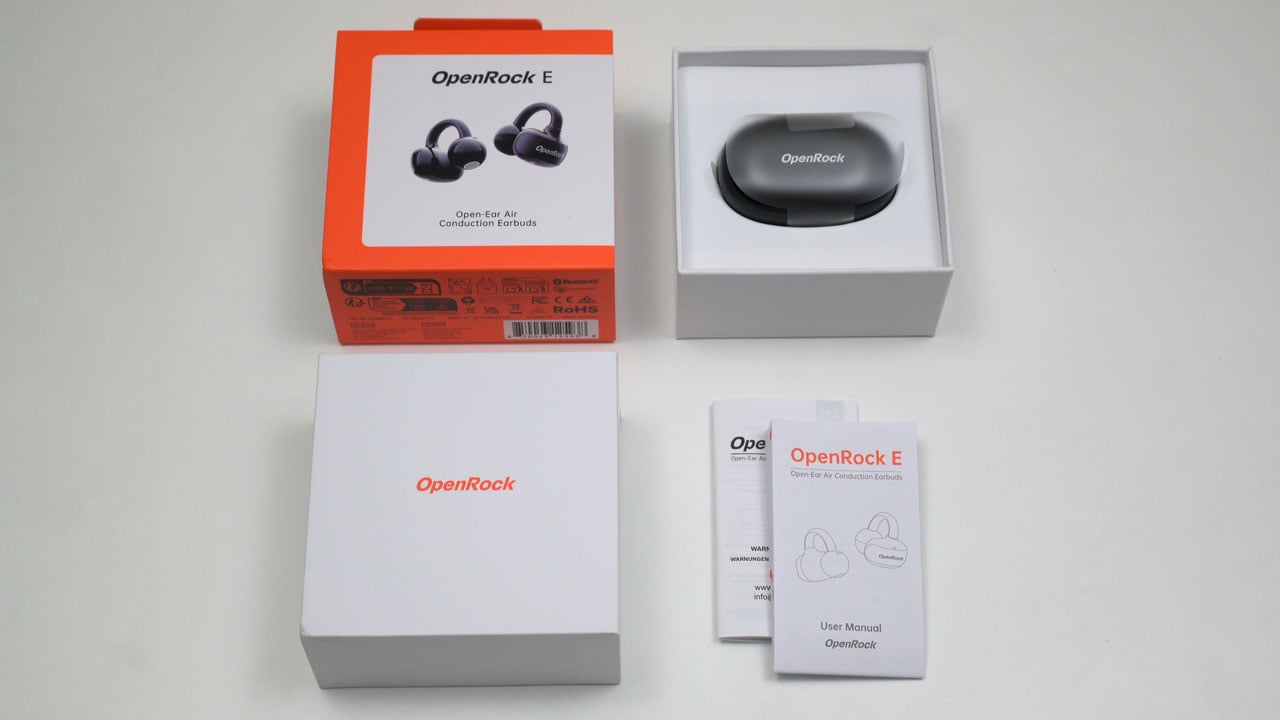
Scope of delivery are as follows:
- OpenRock E open-ear earbuds
- Charging case
- Documentation(s)
Design, Build and Connectivity
Unlike its predecessors, the OpenRock E features a unique “bean-sprout” design. This shift in design isn’t just aesthetic; it was engineered specifically to ensure 100% compatibility for users who wear glasses, providing a seamless fit without interference.

While the design is novel, its perfect symmetry creates a slight usability hurdle. The only physical distinction between the left and right earbuds is a small symbol hidden behind the “bean” body. Fortunately, the internal magnets act as a failsafe; they prevent the OpenRock E from seating incorrectly in the charging case, making it impossible to mix them up.
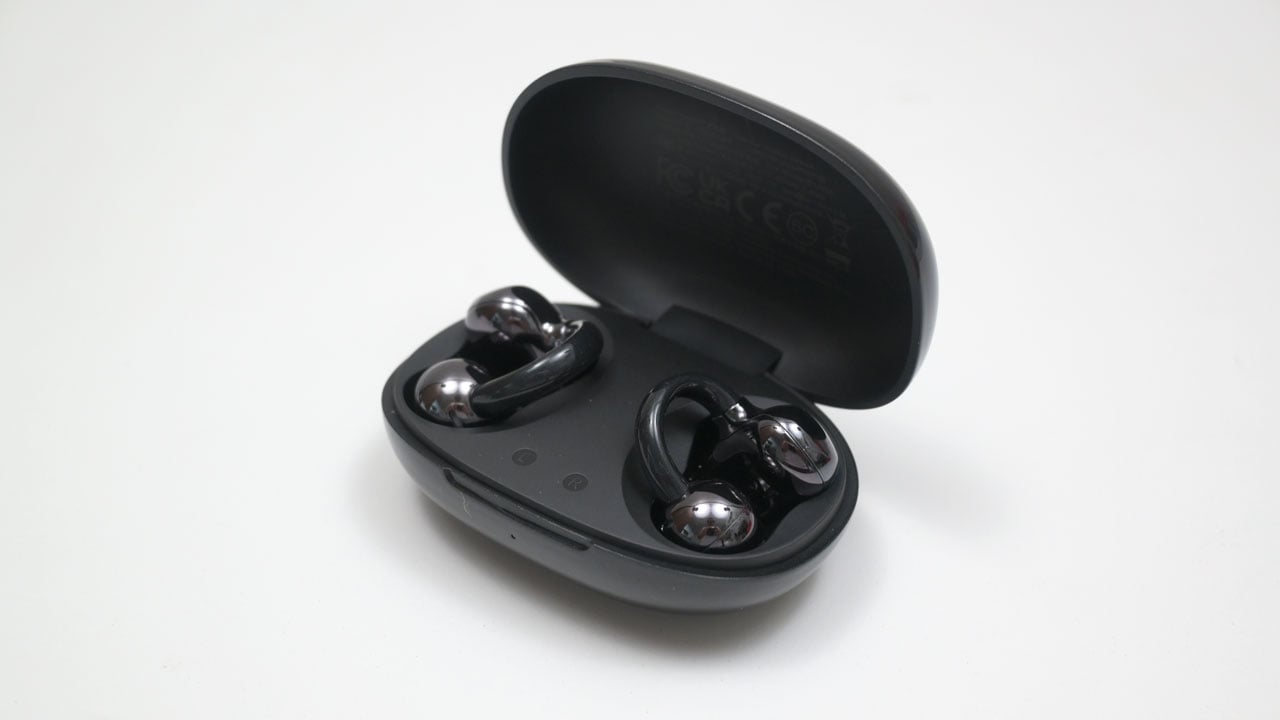
The earbuds are housed in a glossy, pill-shaped clamshell case. A discreet USB-C port is tucked away at the rear for convenient charging.

Ergonomics
The OpenRock E is exceptionally lightweight, with each earbud tipping the scales at just 4 grams. Even when factoring in the charging case, the total weight remains a mere 42.4 grams, making the entire package incredibly pocket-friendly.

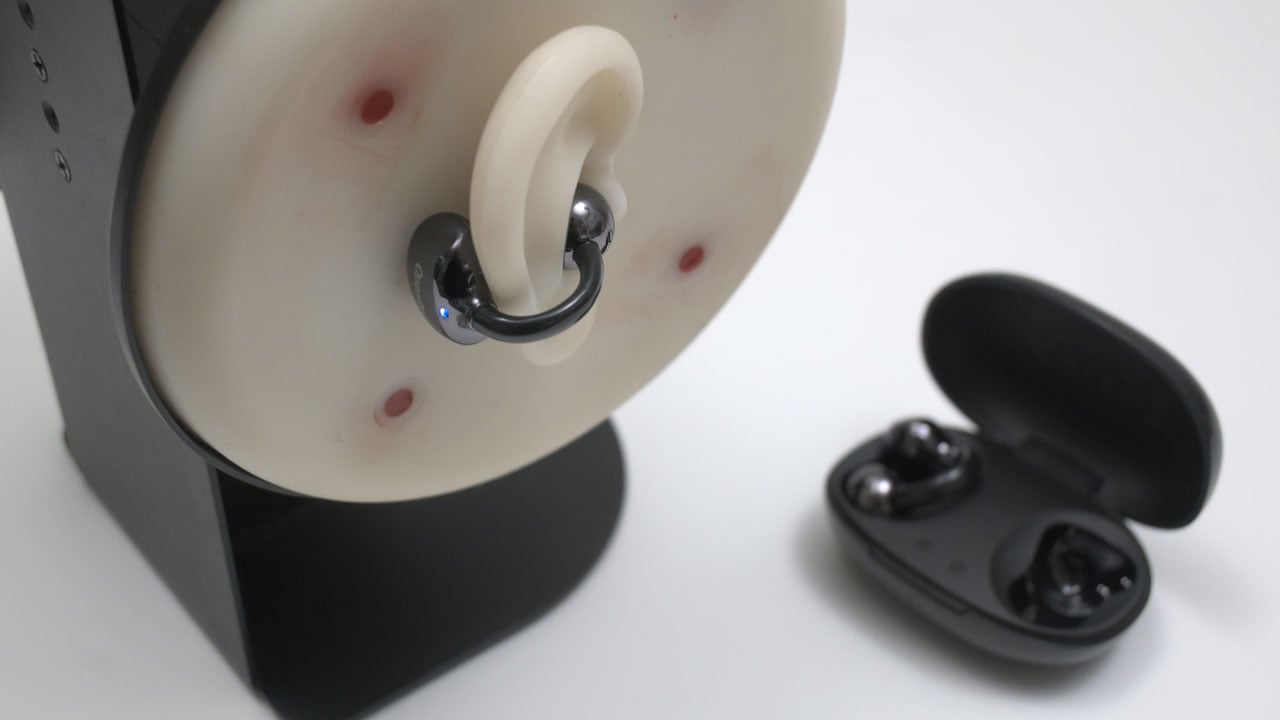
I was surprised by how comfortable the OpenRock E felt, which I didn’t expect from such a novel shape made to pinch your earlobes. That said, it isn’t a “one size fits all” solution. Even with the flexible TPU construction, the fixed design means those with ears on the extreme ends of the size spectrum might struggle with the fit.
Software
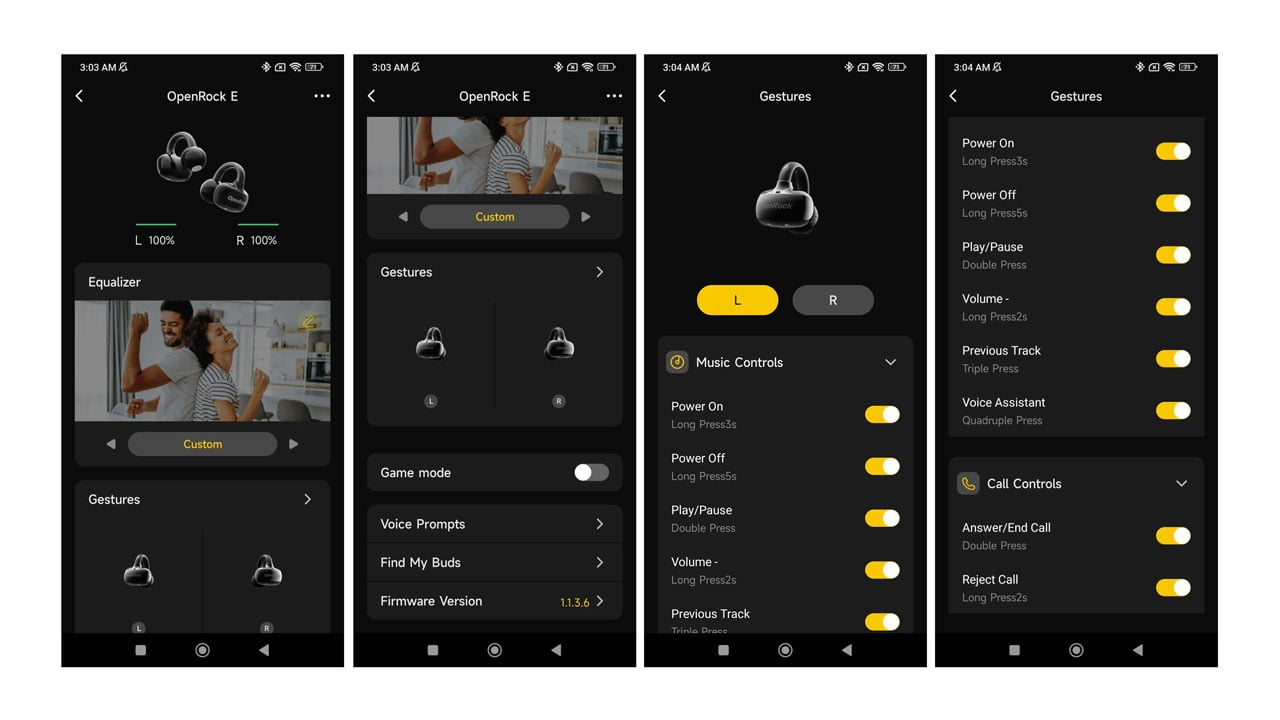
You can fine-tune your experience via the OpenRock app, which is easily accessible on all major platforms. It offers essential customization like gesture mapping and EQ profiles, plus a Game Mode for improved latency performance. It’s a great utility, though it falls slightly short by failing to report the charging case’s battery percentage – a small but useful detail for daily users.
Frequency Response
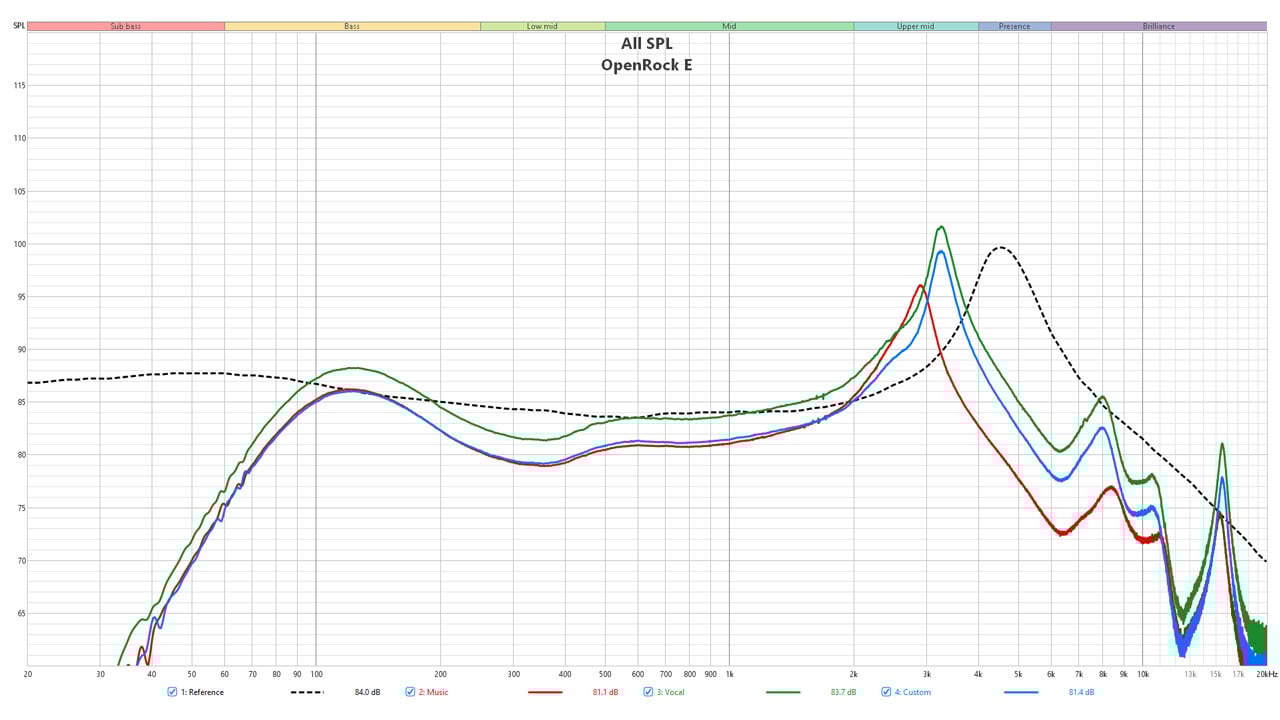
Across all three presets, the OpenRock E maintains a consistently mid-forward sound signature characterized by a steep low-end roll-off. While the presets introduce subtle tuning adjustments, the primary emphasis remains squarely on vocal forwardness. A distinct shift in the upper-midrange occurs at approximately 1 kHz, which dictates the character of the remainder of the frequency curve. From a technical standpoint, the ‘Vocal’ preset delivers the most cohesive sound, though the ‘Custom’ (as-is) profile remains a viable option.
Bass
The graph shows a significant roll-off starting around 100 Hz. Because these are open-ear (air conduction) and do not form a great seal in the ear canal, they struggle to produce deep sub-bass rumble. There is however a slight hump or elevation in the mid-bass area to compensate for the lack of sub-bass.
Mids
The midrange performance is generally competent, though a perceptible dip between 200-500 Hz slightly hampers detail retrieval in the lower mids. While the response recovers energy above this range, the curve continues to climb toward the 2-4 kHz region. Although this boost is typically intended to enhance vocal clarity, in practice, it pushes the mids a bit too far into the foreground, resulting in a notably forward presentation.
Treble
The treble performance is perhaps the OpenRock E’s weakest attribute. Due to a premature and significant high-frequency roll-off, the audio lacks the necessary sparkle and ‘air’ found in better-tuned competitors. This technical limitation results in poor micro-detail retrieval, making the upper registers feel somewhat muted and dull.
Distortion
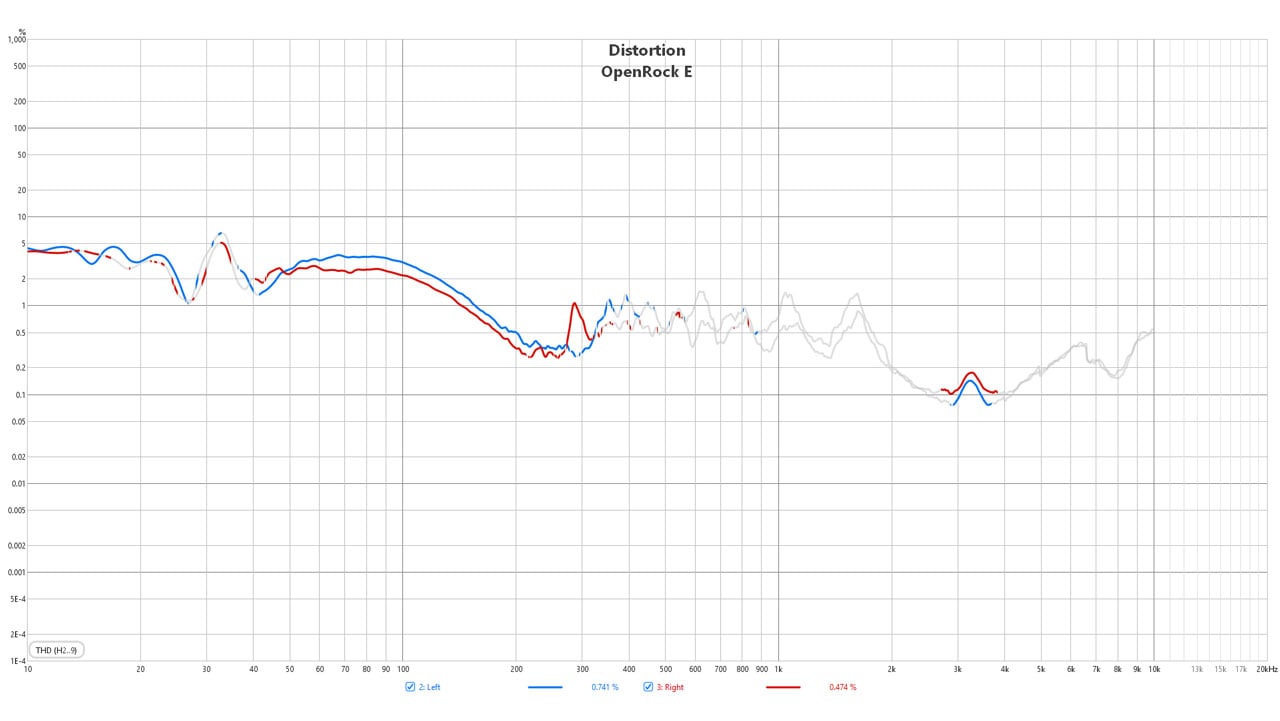
The Total Harmonic Distortion (THD) profile of the OpenRock E is generally well-controlled, maintaining a level below 1% across the majority of the audible spectrum. However, the low-end performance tells a different story; distortion levels rise significantly in the bass frequencies, peaking at over 5%.
CSD
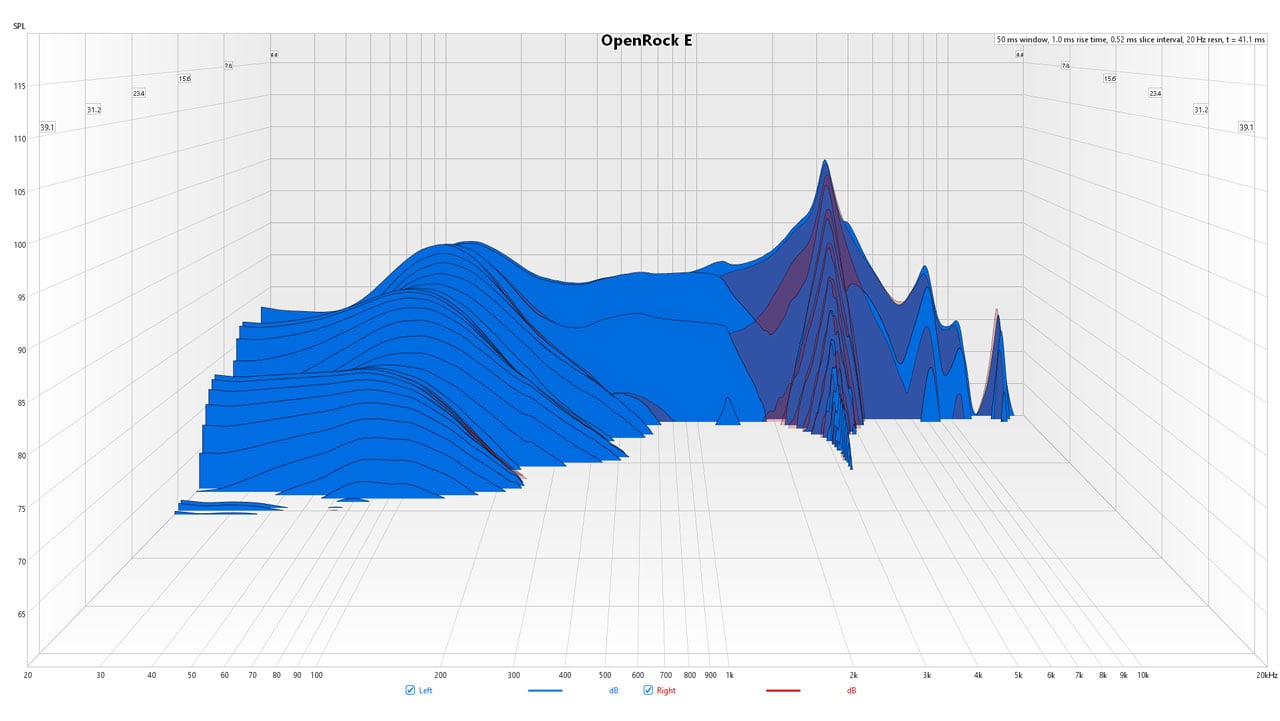
The CSD plot highlights lingering energy between 100 Hz and 300 Hz, along with a notable resonance at the 3 kHz presence peak. While lower frequencies exhibit some moderate trailing, the upper treble decays rapidly due to a sharp roll-off. Overall, the driver performance is acceptable, with both channels showing consistent decay patterns.
Noise Isolation
By design, the OpenRock E favors total awareness over isolation, boosting frequencies in the 2-3 kHz band to keep the user connected to their surroundings. Despite this open profile, the earbuds still provides a level of passive attenuation for frequencies above 3.5 kHz.

Microphone
The OpenRock E features a mid-forward tuning that prioritizes vocal intelligibility over natural tonal depth. While it effectively captures the essential frequencies of human speech, the significant roll-offs at both ends of the spectrum result in a ‘thin’ sound profile. As such, it is best suited for its primary intended use – voice calls and commands.

Input Lag
The OpenRock E shows a measurable leap in responsiveness when Game Mode is engaged, effectively shaving 70 ms off the average latency. While it doesn’t quite hit the 60 ms from the specification sheet, the improvement is substantial – especially when compared to the noticeable lag found in previous models like the Link 20.
Final Thoughts
The OpenRock E is a clear departure from the bulky, hook-based designs often seen in the open-ear category. By focusing on a “pinch” fit, OpenRock has solved a major pain point for glasses wearers and users who find traditional earbuds fatiguing.
Technically, the earbuds are a mixed bag. On one hand, the Bluetooth 6.0 integration and the tangible latency improvements in Game Mode show a commitment to modern hardware standards. On the other hand, the audio profile is strictly utilitarian; the lack of sub-bass and the premature treble roll-off mean these won’t be your first choice for critical music listening. However, for $50, they aren’t trying to be.
If you are looking for an affordable, “set-it-and-forget-it” pair of buds for office calls, outdoor walks, or watching videos without feeling isolated from your environment, the OpenRock E is a solid, ergonomic contender that punches exactly at its weight class.
OpenRock E Open-Ear Earbuds

Product Name: OpenRock E
Product Description: The OpenRock E is a budget-friendly, open-ear wireless earbud designed with a unique "bean-sprout" clip-on aesthetic.
Brand: OpenRock
Summary
Priced at just $50 USD (₱2,930), the OpenRock E enters the competitive open-ear market with a focus on ergonomics and connectivity. While it boasts modern features like an IPX4 rating, a dedicated Game Mode for lower latency, and app support, its sonic performance is distinctly mid-forward.
Pros
- At 4g per earbud, they are exceptionally comfortable for long sessions
- The “bean-sprout” design eliminates interference with eyewear
- Offers a stable and modern connection with improved latency in Game Mode
- Mid-forward tuning ensures voices are intelligible for calls
Cons
- Significant roll-off in both bass and treble limits depth
- Difficult to distinguish Left from Right without looking at the internal symbols