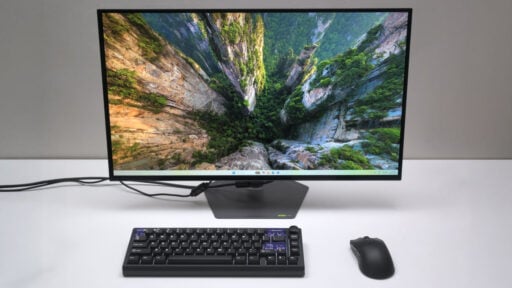
The GIGABYTE MO27Q28G delivers a 27-inch, 1440p Tandem OLED panel pushing a 280 Hz refresh rate for about $600 (₱44,950 locally). This 4th-generation WOLED screen is promised to hit higher brightness levels and richer colors while draining less power. We’re putting those exact claims to the test.
Disclosure: GIGABYTE sent us this sample for review. The brand never previewed or approved our testing data, text, or final verdict before we publish.
Table of Contents:
Technical Specifications
The GIGABYTE MO27Q28G offers a 27-inch, 1440p WOLED panel that pushes a 280 Hz refresh rate and a near-instant 0.03 ms response time according to its specifications sheet. You’ll also get a built-in KVM switch.
| Display | |
|---|---|
| Panel Size | 27 in |
| Panel/Backlight | WOLED |
| Surface Treatment | Anti-Reflection |
| Resolution | 2560 x 1440 (16:9) |
| Pixel Pitch | 0.2292 mm |
| Refresh Rate | 280 Hz |
| Variable Refresh Rate | FreeSync, G-SYNC Compatible |
| Brightness | 1500 cd/m2 |
| Contrast Ratio | 1,500,000:1 |
| Response Time | 0.03 ms (GtG) |
| Color Coverage | 99.5% DCI-P3, 84% BT2020 |
| Color Depth | 10-bit |
| Connectivity | |
| Display | 2x HDMI 2.1, DisplayPort 2.1, USB Type-C (DP-Alt) |
| USB | 2x USB 3.2 Type-A, USB Type-B, USB Type-C |
| Audio | 3.5 mm (Out), 2x 5 W speakers |
| Ergonomics | |
| VESA Mount | 100 x 100 mm |
| Pivot | +90°/-90° |
| Swivel | +30°/-30° |
| Tilt | -5°/+20° |
| Lift | 110 mm |
| Anti-strain | Flicker-Free |
| Dimensions | |
| Length | 605.6 mm |
| Width | 631 mm |
| Height | 369.4 mm |
| Weight | 4.05 kg (without stand) |
Packaging and Accessories
The GIGABYTE MO27Q28G arrives in a standard monitor box, securely cushioned by a two-piece polystyrene insert for maximum protection.
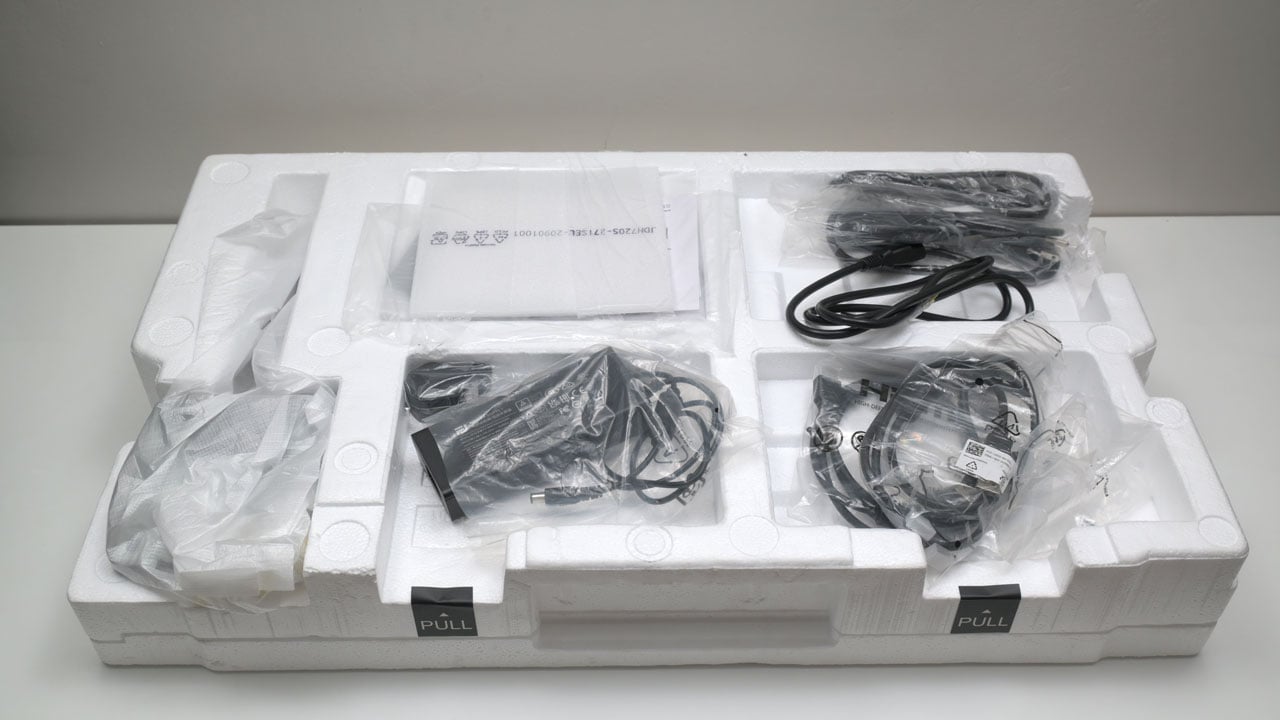
Scope of delivery are as follows:
- GIGABYTE MO27Q28G gaming monitor
- Power cable
- HDMI 2.1 cable
- DP cable
- USB cable
- Color calibration test report
- Documentation(s)
Design, Build and Connectivity
The MO27Q28G ditches the old look for a sturdy alloy base and a sleek, bezel-less frame. This redesign feels right for a fresh lineup of Tandem OLED panels. You’ll also notice the new anti-reflection coating; it actually kills a huge amount of glare even in bright rooms.

The MO27Q28G consolidates its core components into a central rear protrusion, a common design for thin OLED panels. This area houses the heatsink and control board while providing the primary mounting points for its VESA compatible bracket.

Connectivity are a plenty. The MO27Q28G features a 3.5 mm TRS port, dual HDMI 2.1 ports, a single DisplayPort 1.4, and a USB Type-C port (DP Alt Mode + 18 W PD) for audio and video. Other connectivity options includes a USB Type-B port, and dual USB Type-A ports for peripherals. This monitor comes with an external power brick to keep the price and heat down. It’s also easier to replace if it gets faulty.

Ergonomics
The 27-inch GIGABYTE MO27Q28G uses a Tandem OLED structure to stack electroluminescent layers. This design boosts brightness and power efficiency and it helps with the panel longevity. It pairs that with a fourth-gen WOLED (RGWB) subpixel layout, so the new arrangement fixes the fuzzy text issues found in older OLEDs. I could still see it if I squint and look harder, but it is a nice upgrade for sure.
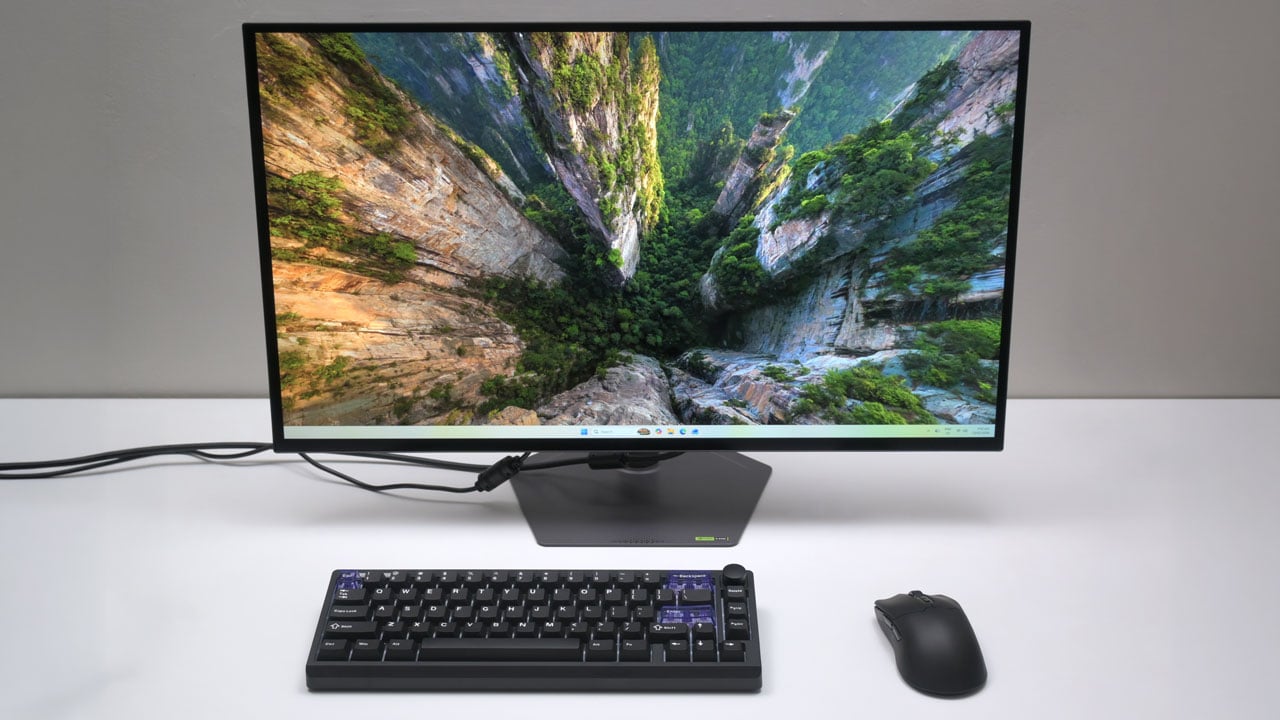
The MO27Q28G features a sturdy all-metal stand with a wide range of motion. You can adjust the height by 130 mm, swivel it 15°, or tilt it between -5° and 21°. It even pivots a full 90° for a vertical setup. If you’d rather clear some desk space, the 100 x 100 mm VESA compatibility makes it easy to snap onto a monitor arm or wall mount.
OSD Menu
A 5-axis joystick drives the MO27Q28G’s four-layer OSD menu. You’ll find the ‘Gaming’ menu sitting right at the top of the list, giving you instant access to the monitor’s core performance settings. This OSD has a bit of a lag though, probably half a second at worst when navigating it.

The ‘Picture’ menu offers brightness, contrast, gamma, and color temperature adjustments for each presets. Some modes lock specific settings so available options may change as you cycle through the presets.

The ‘Display’ menu manages your display input, KVM settings, and color depth. You’ll find the built-in KVM switch’s options here, which I assume toggles your peripherals between the systems connected. It’s a seamless way to share one mouse and keyboard across two different PCs.

This monitor also comes with an ‘OLED Care’ menu that protects it from permanent image burn-in. You’ll find automated pixel shifting and brightness limiters here to keep the panel running cool. These settings act as a defense, ensuring the display maintains its peak performance over years of use.
Software
According to its specifications, the MO27Q28G is compatible with GIGABYTE’s OSD Sidekick. I haven’t tried this feature, but it’s basically a software-based way to navigate the OSD.
OSD Presets
The ‘Custom’ preset serves as the baseline for the MO27Q28G’s calibration. While other profiles lock down their settings to force a specific look, this one gives total control over the panel.
| Spyder5 ELITE | OSD Settings | ||||
|---|---|---|---|---|
| Settings | Brightness (cd/m²) | Black Level (%) | Contrast (:) | White Point (K) |
| Standard | 288.8 | 0.01 | 19510:1 | 6900 |
| FPS | 266.5 | 0.01 | 19510:1 | 7900 |
| MOBA | 230.5 | 0.01 | 19510:1 | 9000 |
| RPG | 310.9 | 0.04 | 8640:1 | 7000 |
| Racing | 311.2 | 0.01 | 8640:1 | 7000 |
| Movie | 278.7 | 0.01 | 18830:1 | 6900 |
| Reader | 171.8 | 0.01 | 11610:1 | 5300 |
| sRGB | 120.1 | 0.01 | 8110:1 | 7000 |
| Custom | 290.9 | 0.01 | 19510:1 | 6900 |
| Eco | 248.8 | 0.01 | 16810:1 | 6900 |
OSD settings are as follows:
- Preset = Custom
- Brightness = 33 (120 cd/m²)
- Contrast = 50
- Color = R100, G99, B95
- Color Temperature = 6500K
- Gamma = 2.2
The calibrated ICC profile for the MO27Q28G is available upon request via email at the contact page. Please note that results may vary between units due to inherent manufacturing tolerances and panel variance.
Gamut
The MO27Q28G crushes SpyderPro’s color gamut test. It hits a perfect 100% of the sRGB and DCI-P3 color spaces, and reaches 95% of AdobeRGB and about 93% of NTSC’s standard.
| SpyderPro | Gamut, Percent (%) | ||||
|---|---|---|---|---|
| Color Space | sRGB | AdobeRGB | DCI-P3 | NTSC |
| Measured | 100 | 95 | 100 | 93 |
Tone Response
The SpyderPro confirms the MO27Q28G tracks its gamma targets with precision. You’ll get exactly the tone response you expect across the grayscale. In typical GIGABYTE fashion, the menu includes an ‘Off’ setting that serves no clear purpose.
| SpyderPro | Tone Response, Gamma (γ) |
|||||
|---|---|---|---|---|---|
| Settings | Off | 1.8 | 2.0 | 2.4 | 2.6 |
| Measured | 2.1 | 1.8 | 2.0 | 2.4 | 2.6 |
Brightness and Contrast
SDR performance on the MO27Q28G is good. It hits a peak luminance of 310.7 cd/m² at 100% brightness setting, which is plenty for most indoor environments. Black levels stay anchored at a near-perfect 0.01% across the entire adjustment range. Because those blacks are so deep, the contrast ratios scaled well from 2280:1 at minimum brightness to 20990:1 at the top end.
| SpyderPro | Brightness and Contrast, SDR | ||||
|---|---|---|---|---|
| Settings | Brightness (cd/m²) | Black Level (%) | Contrast (:) | White Point (K) |
| 0% | 33.8 | 0.01 | 2280:1 | 6500 |
| 25% | 104.7 | 0.01 | 7070:1 | 6500 |
| 50% | 175.6 | 0.01 | 11870:1 | 6500 |
| 75% | 241.7 | 0.01 | 16330:1 | 6500 |
| 100% | 310.7 | 0.01 | 20990:1 | 6500 |
The MO27Q28G’s HDR performance is where this panel shines the most. It hits a peak brightness of 1450.32 cd/m² on a 1% window, delivering those piercing specular highlights HDR is known for. As the test window size expands, the total light output naturally dips. It’s not exactly the stated 1,500 cd/m², but it’s pretty close.
Screen Uniformity
The MO27Q28G averages a Delta E of 1.52 at SpyderPro’s screen uniformity test. Even though individual points on the panel fluctuate between 0.7 and 3.1, the display maintains a rock-solid level of uniformity that keeps colors looking almost perfectly even.

Brightness stays controlled across the entire panel with strong consistency at the center – that includes the top and bottom.

Color Accuracy
The MO27Q28G merges gaming features with professional-grade color accuracy. It hits a 280 Hz refresh rate for fluid eSports play, yet maintains a Delta E average of 1.32. That precision, paired with wide color coverage, makes it a legitimate tool for high-end video editing and color grading.

Response Time
The MO27Q28G backs its gaming pedigree with a 1.31 ms average perceived response time. It hits 0.7 ms at its best, and you won’t see any noticeable RGB overshoot during fast-paced motion. While I toggled “Low Input Lag” mode for testing, you can safely ignore it. The performance gap is so small it sits within a 3% margin of error.

Input Lag
The MO27Q28G clocks a total input lag average of 4.57 ms. It hits a 2.58 ms minimum and maxes out at 6.12 ms as far as our measurements are concerned. It isn’t the fastest panel on the shelf, but you won’t probably feel the difference.
Power
The MO27Q28G’s Tandem OLED panel measures a baseline power draw of 26.9 W at 0% brightness, then scales linearly to 44.79 W as it hits the 100% brightness mark.
Final Thoughts
Traditional OLEDs face a hard ceiling because cranking the wattage to get more light generates heat that shortens the lifespan of its organic diodes. Tandem tech aims to solve this by spreading that load across its dual-stack architecture. In practice, this monitor hits a massive 1450 cd/m² in HDR brightness, which is significantly higher than the 1000 nits we’ve come to expect from standard OLED panels.
The 280 Hz refresh rate provides a buttery-smooth experience that competitive gamers demand. Because OLED pixels switch almost instantly (measured here at a perceived 1.31 ms) there’s zero ghosting or trailing behind fast-moving objects. While the total input lag sits around 4.57 ms, it remains well within an unperceivable range for all but the most elite professionals.
Text fringing used to be the tax you paid for owning an OLED, but the 4th-generation WOLED subpixel layout effectively solves this. The new RGWB arrangement lines up much better with Windows’ ClearType, making spreadsheets and documents look sharp as they would on an IPS panel.
The built-in KVM switch is a massive win for those who work and play at the same desk. You can plug your mouse and keyboard directly into the monitor and toggle between your gaming rig and a work laptop with a button. The DisplayPort 2.1 connection ensures you’re ready for future GPUs, though the USB-C’s 18 W power delivery is disappointing. It’ll keep your phone charged, but it won’t power a modern laptop under load.
Burn-in anxiety is the biggest barrier to OLED adoption, and GIGABYTE tackles it with a two-pronged approach. First, the Tandem structure itself is rated for a 60% longer lifespan because the pixels aren’t being stressed as hard. Second, the AI OLED Care suite runs background tasks like pixel shifting and sub-logo dimming to prevent static images from leaving permanent marks. GIGABYTE backs this up with a 3-year warranty that specifically includes burn-in coverage, giving you the peace of mind to actually use the monitor instead of babying it.
GIGABYTE’s MO27Q28G stands out as a remarkably balanced 1440p display. It marries the contrast and brightness of OLED with the text clarity of IPS panels. It also doesn’t feel like a compromise in any single category. For $600, it’s an enthusiast-grade display for anyone tired of the grey blacks and slow response times of traditional panels.
GIGABYTE MO27Q28G $600

Product Name: MO27Q28G
Product Description: The GIGABYTE MO27Q28G packs a blistering 280 Hz refresh rate into a 27-inch, 1440p WOLED panel.
Brand: GIGABYTE
Summary
The GIGABYTE MO27Q28G is a 27-inch, 1440p gaming monitor featuring a 4th-generation Tandem WOLED panel. It’s built for speed, pushing a 280 Hz refresh rate and a rated 1.31 ms pixel response time that eliminates motion blur. Unlike earlier OLED models, this new structure significantly boosts peak brightness and improves subpixel layout for better text legibility.
Pros
- Hits 1450 cd/m² HDR brightness
- Good color coverage and accuracy
- 280 Hz refresh rate with a near-instant 1.31 ms pixel response
- Built-in KVM switch for multi-PC setups
- Excellent tone response
Cons
- 18 W USB-C is too low for most laptops
- OSD feels heavy to navigate