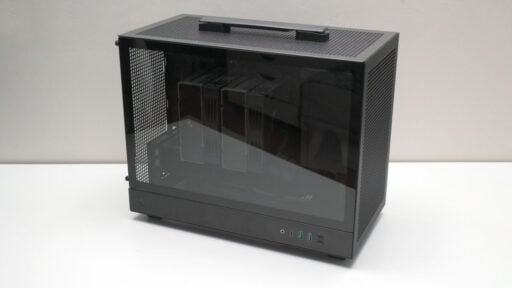
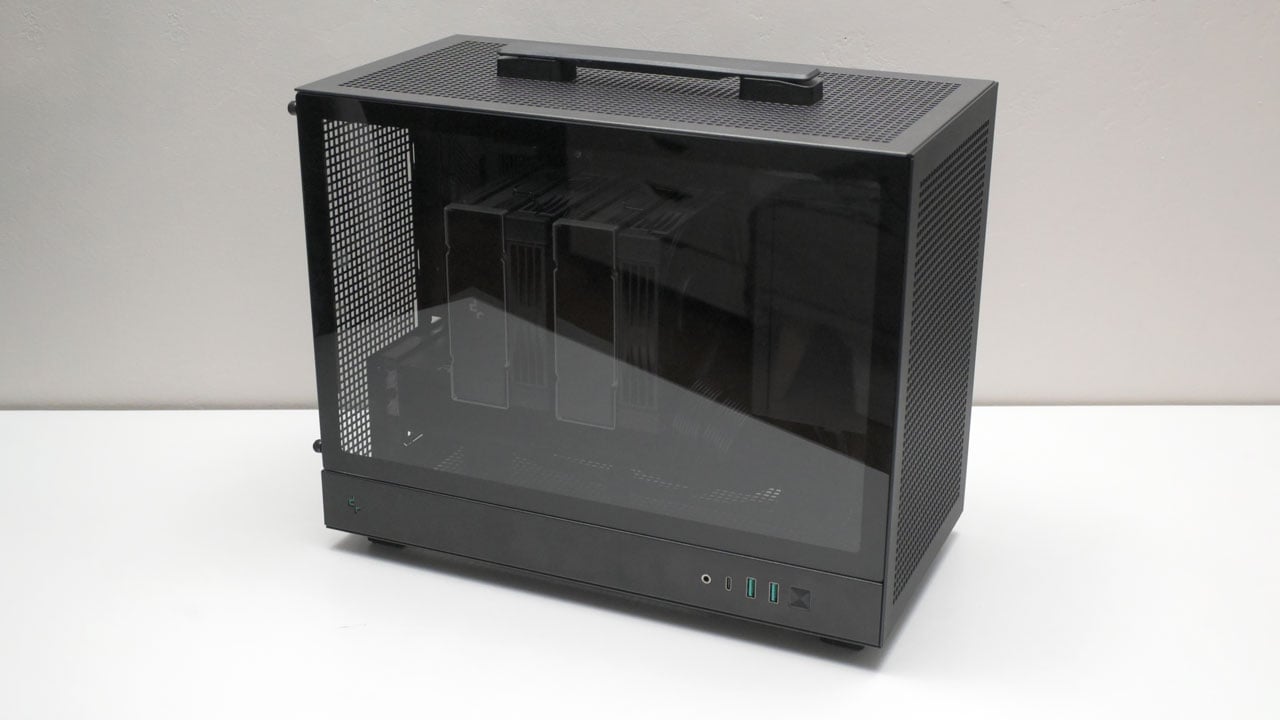
The DeepCool CH160 PLUS is the mATX version of the original CH160, allowing you to shove in a standard PSU and whatever giant GPU you’ve got lying around without skinning your knuckles. It’s the original CH160, just finally big enough (23 L) to be practical.
Disclosure: DeepCool sent the CH160 PLUS for review; however, all thoughts and conclusions are entirely my own.
Table of Contents:
Technical Specifications
The DeepCool CH160 PLUS is basically a budget-friendly compact case in the mATX space. At roughly $50–$60, or about ₱3,450, it keeps that ultra-clean, mesh-heavy look of the series.
| Chassis | |
|---|---|
| Motherboard support | MicroATX, Mini-ITX |
| Type | Mini-Tower |
| Material | Steel (SPCC), Tempered Glass, ABS |
| Clearance | |
| CPU | 164 mm |
| GPU | 342 mm |
| PSU | 140 mm |
| Expansion | |
| Drive Bays | 3.5 in, 2x 2.5 in |
| PCIe Slots | 4x |
| Cooling | |
| Front | 120 mm / 140 mm (SFX PSU) |
| Rear | 120 mm |
| Top | 120 mm / 140 mm |
| Bottom | N/A |
| I/O Ports | |
| USB | 2x USB 3.0 (Type-A), USB 3.2 (Type-C) |
| Audio | 3.5 mm TRS |
| Dimensions | |
| Length | 375 mm |
| Width | 195 mm |
| Height | 323.5 mm |
| Weight | 4.2 kg |
Packaging and Accessories
DeepCool packages the CH160 PLUS in a cardboard box, suspending the case between two PE foam sheets. This setup cushions the chassis from impact and does ensure the tempered glass remains protected during transit.

The packaging should come with the following items inside:
- DeepCool CH160 PLUS Case
- Fan/storage bracket
- Screws
- Stand-offs
- Zip ties
- Velcro ties
- Documentation(s)
Design, Build and Connectivity
The CH160 PLUS features a minimalist mini-tower design, incorporating a smoked tempered glass panel and a built-in carrying handle. This setup lets you showcase your internal hardware while maintaining a professional look. It’s a great solution for builders who want a display-worthy system that remains easy to transport and stow.

DeepCool keeps the rear of the CH160 PLUS simple with a blank steel sheet. Thumbscrews are used to secure both panels and there is an option to add a 120 mm fan as an exhaust.

The CH160 PLUS has a roomy interior, but it takes a lot of planning to build in. Top fan support depends on your CPU cooler choice, and front intake clearance depends on your PSU size. You can also technically mount fans and storage at the bottom, but DeepCool recommends against it.

A massive motherboard tray cutout makes CPU cooler installation easy, but DeepCool didn’t leave any room here for your cables. This is also where you would screw the glass panel facing 2.5-inch drive.

Clearance and Installation
To aid installation, the CH160 PLUS allows you to remove almost every bit of its frame. That includes the top cover, top radiator mount and even the PSU bracket. This is a requirement, as not going this route would unleash a world of frustration – but still very much doable. This is why I say you have to plan your build first should you consider purchasing the case.

Building a system inside the Gamma C70 is decent enough, provided you’ve stripped it down before hand. Cooler and GPU compatibility is good, as even the massive DeepCool AK620 G2 DIGITAL NYX fits in nicely. For the record, we’re reviewing the case with the Noctua NH-U12A.
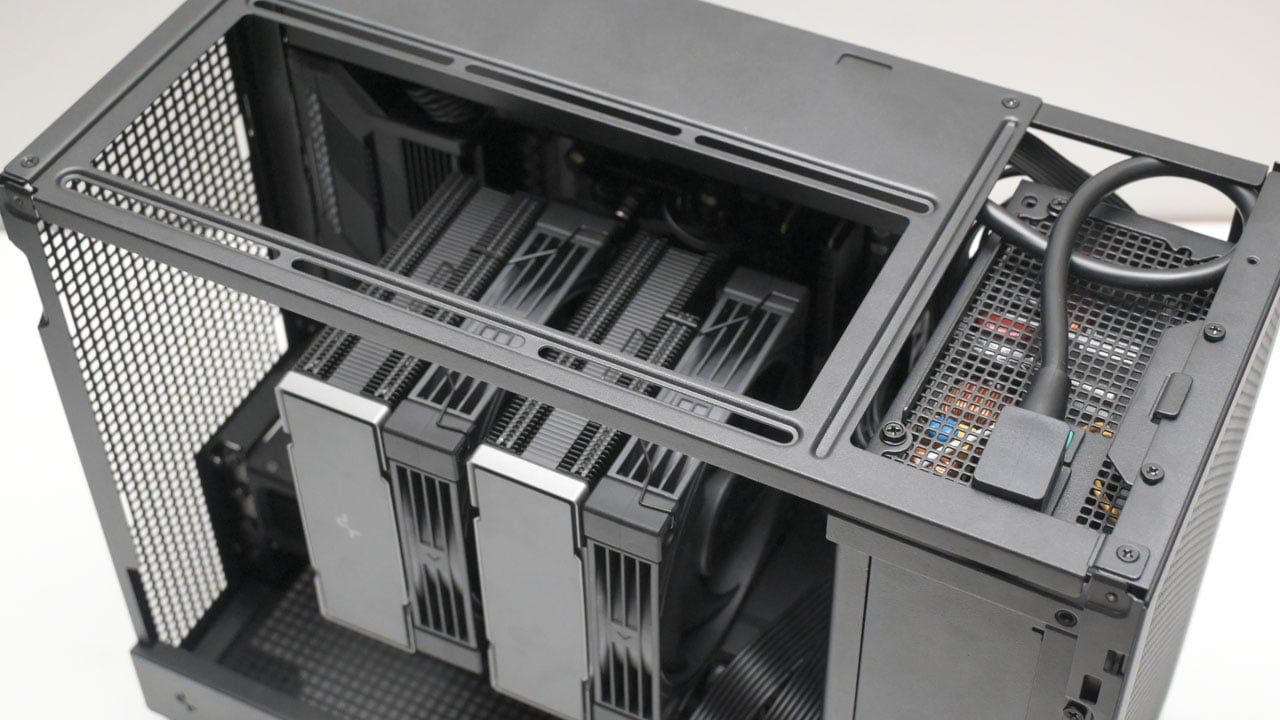
A few cable ties should tidy up the mess quite nicely. If you’re positioning the PSU fan to exhaust toward the front, make sure the flat side of the IEC port faces that same direction. I bought the DeepCool DQ750M-V3L for thsi exact reason, and it is a solid fit for this build and keeps things in theme.
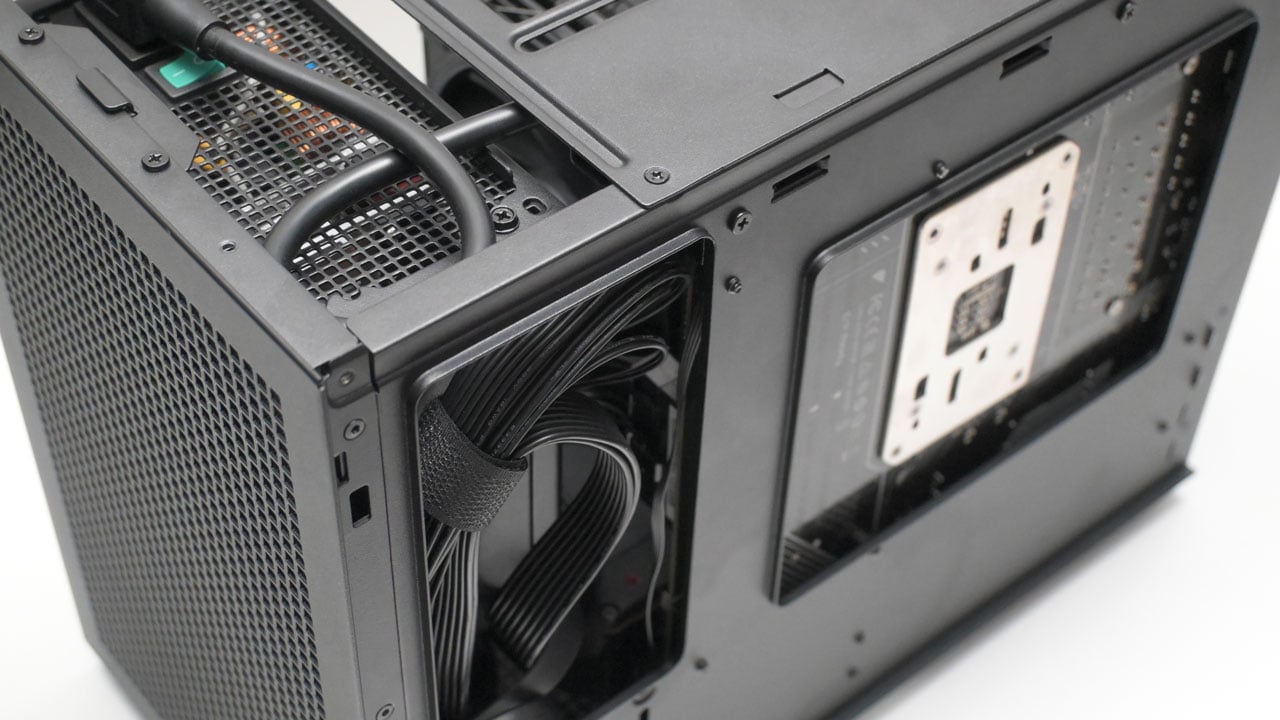
The finished CH160 PLUS build looks incredible. It’s clean and hits that professional mark perfectly. While adding more fans is an option, the sheer amount of mesh on this case handles the airflow so well that extra cooling feels unnecessary – or does it?
Temperature
We tested the CH160 PLUS using an AMD Ryzen 9 7900X, a Radeon RX 7800 XT, and an ASUS X870-I Gaming WiFi motherboard. While we typically rely on included fans for case reviews, this model doesn’t ship with any, so we’ve used a Noctua NF-A12x25 as the exhaust for our testing.
The CH160 PLUS is the best-performing case I’ve ever tested for this setup. Most small cases turn into heaters the second you push the hardware, but this thing stays cool and actually does its job.
Noise
Between 25% and 50% PWM, the fans barely moves from the 30 dBA noise floor. Once you ramp up to 75%, the noise hits 35.4 dBA. You’ll definitely hear the air moving within the CH160 PLUS at this point. Maxing it out at 100% sends the fan to 2045 RPM and 40.3 dBA. It’s audible, but it won’t sound like a jet taking off under your desk.
| Sound Level Meter | Noise | ||
|---|---|---|
| PWM (%) | Noise (dBA) | Speed (RPM) |
| 25 | ≤ 30 | 615 |
| 50 | 30.1 | 1163 |
| 75 | 35.4 | 1638 |
| 100 | 40.3 | 2045 |
Final Thoughts
The DeepCool CH160 PLUS is the best-performing case I’ve tested yet. It actually moves air well enough to keep a Ryzen 9 7900X and an RX 7800 XT from turning into a glorified space heater. For $60 (₱3,450), you’re getting a chassis that puts boutique compact cases to shame by simply being practical. Who would’ve thought adding more holes means airflow, right?
Now, building in this thing requires a bit of your brain power and a screwdriver. You’ll want to strip the frame down to the bare before you even think about touching your components. If you try to build it as-is, you’ll end up with a regret not doing it the right way. DeepCool also didn’t include any fans, which keeps the price low, but it means you’re on the lookout for a decent 120 mm intake and or an exhaust.
DeepCool fixed the biggest issue with the original CH160 by making it big enough to actually use with non-SFF components. It’s a no-nonsense, high-performance box for builders who cares more about temps over brand prestige. It also looks professional enough which is a plus.
DeepCool CH160 PLUS ₱3,450

Product Name: CH160 PLUS
Product Description: The DeepCool CH160 PLUS is a 23-liter Micro-ATX mini-tower designed to solve the space constraints of the original ultra-compact CH160.
Brand: DeepCool
Summary
DeepCool expanded the original CH160 design to a practical 23 liters, giving you enough room for a standard ATX power supplies and massive GPUs without the typical small-form-factor misery.
Pros
- Excellent thermal performance for its price
- Size is small enough to still fit the SFF bill
- Will accommodate most air coolers, ATX PSUs and triple-fan GPUs
- Mesh design is a balance between form and function
Cons
- No intake and/or exhaust fans included
- Cable management will be a chore
- Building in this case requires adequate planning