
Grand Theft Auto V remains one of the most popular PC games over a decade after its initial release, continuing to attract new players while maintaining a dedicated community through GTA V Online. For PC gamers in the Philippines looking to experience Los Santos at its finest, understanding the hardware requirements and optimization strategies ensures smooth gameplay whether you’re running story missions or engaging in online heists.
Gamers entering GTA V Online can choose different approaches to progression. While some prefer building their criminal empires from scratch, others opt for gta account for sale through platforms like Gameboost, providing immediate access to established characters with unlocked content. Regardless of approach, having the right hardware foundation ensures optimal performance across all gameplay scenarios.
Table of Contents:
Enhanced vs Legacy System Requirements
Rockstar Games provides minimum requirements for running GTA V on both its Legacy and Enhanced Editions, but these specs offer only a barely playable experience, especially when factoring in updates and the actual demands of playing online.
| Component | Legacy | Enhanced | Recommended |
| CPU | Intel Core 2 Quad Q6600 / AMD Phenom 9850 | Intel Core i7-4770 / AMD FX-9590 | Intel Core i5-9600K / AMD Ryzen 5 3600 |
| RAM | 4 GB | 8 GB | 16 GB |
| GPU | NVIDIA 9800 GT / AMD HD 4870 | NVIDIA GTX 1630 / AMD RX 6400 | NVIDIA RTX 3060 / AMD RX 6600 XT |
| Storage | 125 GB HDD | 105 GB SSD | 105 GB SSD |
| OS | Windows 10 64-bit | Windows 10/11 64-bit | Windows 11 64-bit |
The recommended specs deliver significantly better performance, so targeting components that comfortably meet or exceed the Enhanced Edition’s suggested settings is the right call for smoother gameplay and future-proofing.
Graphics Card
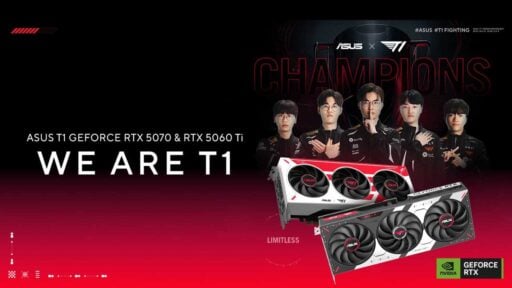
Today’s PC hardware easily surpasses GTA V’s original requirements, opening the door for stunning visuals with mods and maxed settings. Mid-range setups with CPUs like the Intel Core i5-13400 or AMD Ryzen 5 7600 and GPUs such as the NVIDIA RTX 4060 or AMD RX 7600 handle 1080p gameplay effortlessly, delivering smooth 60+ FPS even in the most action-packed moments.
| Resolution | Recommended GPU | Expected Performance |
| 1080p | RTX 4060 / RX 7600 | 120+ FPS |
| 1440p | RTX 4070 Ti / RX 7800 XT | 120+ FPS, even with RT |
| 4K | RTX 4080 / RX 7900 XTX | 120+ FPS, even with RT |
High-end configurations targeting 1440p or 4K benefit from more powerful GPUs. The NVIDIA RTX 4070 Ti or AMD RX 7800 XT handles 1440p at ultra settings with ray tracing enabled in GTA V Enhanced, while the RTX 4080 or RX 7900 XTX pushes 4K at high frame rates. These cards also future-proof your system for upcoming demanding titles while ensuring GTA V runs flawlessly.
Memory
RAM requirements have evolved alongside GTA V Online mode’s expansion. While 8 GB suffices for basic gameplay, 16 GB is now the standard for smooth multitasking and streaming. GTA V Online’s increasing complexity benefits from additional memory headroom, particularly when running Discord, streaming software, or other background applications simultaneously.
Storage Considerations
Legacy requires 125 GB of storage, while the Enhanced Edition needs 105 GB, with regular updates adding to either footprint over time. Installing the game on an SSD dramatically reduces loading times compared to traditional hard drives. Initial load times that stretch several minutes on mechanical drives drop to under a minute on SATA SSDs, and to just seconds on NVMe drives.
| Storage Type | Initial Load Time | Online Mode Transitions |
| HDD | Several minutes | Slow, frequent waits |
| SATA SSD | Under 1 minute | Noticeably faster |
| NVMe SSD | A few seconds | Near-instant |
The difference becomes especially apparent in GTA V Online, where frequent transitions between game modes, missions, and free roam sessions involve loading screens. An NVMe SSD significantly improves the overall experience by reducing downtime and frustration during extended play sessions.
Network Requirements for GTA V Online
GTA V Online’s peer-to-peer architecture requires a stable internet connection for the best experience. While Rockstar specifies a minimum download speed of 1 Mbps, practical requirements are considerably higher. Connections of 10 Mbps or faster ensure smooth session joining and reduce desynchronization issues in busy lobbies.
| Connection Tier | Download | Upload | Experience |
| Minimum (functional) | 1 Mbps | 0.5 Mbps | Desync issues, slow session joins |
| Recommended | 10 Mbps | 5 Mbps | Smooth lobbies, stable connections |
| Ideal | 25+ Mbps | 10+ Mbps | Consistent in heists and competitive modes |
Upload speed matters equally for hosting sessions and maintaining connection stability. Poor upload performance causes lag compensation issues where actions register late for other players, creating frustrating situations particularly in competitive modes or heists that require precise coordination.
Cooling and Power Considerations
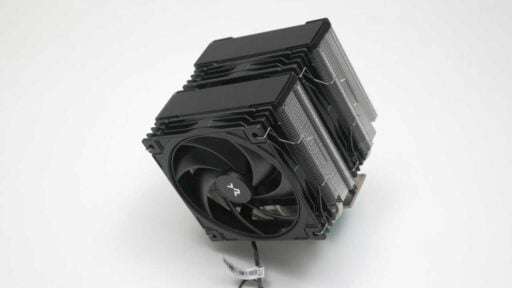
Extended GTA V sessions generate significant heat, especially when running maxed settings. Adequate case airflow prevents thermal throttling that reduces performance. Budget builds should include at least one case fan (either an intake, or exhaust), while high-end systems benefit from additional fans or an AIO liquid cooler.
| Performance Tier | Example GPUs | Recommended PSU |
| Entry-Level (1080p) | RTX 3050, RX 6600 | 450 W – 550 W |
| Lower Mid-Range (1080p) | RTX 4060, RX 7600 | 550 W – 650 W |
| Upper Mid-Range (1440p) | RTX 4070 / 4070 Super, RX 7700 XT, RX 7800 XT | 650 W – 750 W |
| High-End (4K) | RTX 4080 / 4080 Super, RX 7900 XT | 850 W |
| Enthusiast (4K+) | RTX 4090, RX 7900 XTX | 1000+ W |
When selecting a power supply based on these tiers, a few additional factors matter. If you are using a particularly power-hungry CPU, such as an Intel Core i9 or AMD Ryzen 9, you should aim for a wattage slightly above the baseline recommendation to handle the combined peak load safely.
For modern NVIDIA RTX 40-series cards, looking for an ATX 3.0 or ATX 3.1 compatible power supply is beneficial. These units provide the native 12VHPWR or 12V-2×6 connector, which delivers the required power through a single cable and eliminates the need for bulky adapters.
Graphics Settings Optimization
Getting the right balance between visual quality and performance means knowing which settings affect frame rates the most. After playing GTA V both online and offline, I’ve found that the settings below offer the perfect middle ground between great graphics and smooth performance.
Video
Video controls GTA V’s foundational display and performance metrics. That includes the display output, resolution, and refresh rates, while also offering settings like NVIDIA Reflex and frame limiters to manage input latency and hardware utilization.
| Setting | Options | Recommendation & Notes |
| Ignore Suggested Limits | On / Off | Off. Ignoring limits may negatively affect performance or cause crashes. |
| Pause Game On Focus Loss | On / Off | User preference. On maintains a break when alt-tabbed. |
| Output Adapter | N/A | Select the GPU handling output. |
| Output Monitor | N/A | Select the monitor for display output. |
| Screen Type | Fullscreen / Borderless Fullscreen / Windowed Fullscreen / Windowed | Borderless Fullscreen for modern Windows builds to avoid alt-tab stutter. Fullscreen for older Windows or to modify resolution/refresh rate. |
| Resolution | N/A | Set to native for optimal image clarity. |
| Refresh Rate | N/A | Number of frames per second your monitor can display. |
| Frame Limit | 30–120 / Off | Off. Mostly unnecessary if you have a >120 Hz monitor or use NVIDIA Reflex. |
| V-Sync | On / Half / Off | Off. Can introduce latency; recommended to leave disabled. |
| NVIDIA Reflex | On / On + Boost / Off | On if GPU is maxing out (98–99%). On + Boost for CPU-bound scenarios. No benefit if GPU usage sits around 80%. |
Ray Tracing
Ray Tracing handles advanced, realistic rendering techniques for lighting, shadows, and reflections. The available options are outlined below, though specific tuning largely depends on your hardware capabilities and personal preference.
| Setting | Options | Recommendation & Notes |
| Graphics Preset | Minimum / High / Very High | Custom. Selection doesn’t matter much, as settings are best tuned individually. |
| Enable Ray Tracing | On / Off | Activates ray tracing features. I prefer non-RT. |
| Ray Traced Shadows | Off / High / Very High / Ultra | Off. Hits hard, especially with high foliage. |
| Ray Traced Reflections | Off / High / Very High / Ultra | Very High. A good balance between performance and reflection quality. |
| Ray Traced Global Illumination | Off / High / Very High / Ultra | Very High. Same reason above. |
| Ray Traced Ambient Occlusion | Off / High / Very High / Ultra | Off. I don’t like how it is baked in RT. |
| Ray Tracing Scene BVH Quality | High / Very High | Very High. |
Frame Scaling
Frame Scaling balances overall frame rates with image clarity through upscaling technologies like DLSS and FSR 3. It also includes anti-aliasing and sharpness controls to smooth jagged edges and refine the final output.
| Setting | Options | Recommendation & Notes |
| Frame Scaling | FSR/DLSS | DLSS if supported by your GPU; otherwise use FSR 3. |
| Resolution Scaler | N/A | Depends on the upscaling method used. |
| Anti-Aliasing | Off / FXAA / TAA | TAA. Provides better anti-aliasing than FXAA. Automatically enabled when upscaling is active. |
| Sharpness | N/A | Personal preference depending on the upscaling method used. |
Quality
Quality settings dictate the core visual fidelity of the game’s environment, adjusting the resolution and complexity of textures, shaders, water, and foliage. The key is balancing visual detail against VRAM limits.
| Setting | Options | Recommendation & Notes |
| Shader Quality | Normal / High / Very High | Very High. Normal disables Anisotropic Filtering; High disables parallax mapping. |
| Texture Quality | Normal / High / Very High | Adjust according to available VRAM. |
| Anisotropic Filtering | Off / x2 / x4 / x8 / x16 | x16. Minimal performance impact. |
| Particles Quality | Normal / High / Very High / Ultra | Ultra. Recommended despite performance cost to take advantage of enhanced particles. |
| Tessellation | Off / Normal / High / Very High | Very High. Minimal performance impact. |
| Water Quality | Normal / High / Very High / Ultra | Ultra (Story Mode) or Normal (GTA V Online, as water can heavily impact FPS). Performance is similar from High to Ultra. |
| Grass Quality | Normal / High / Very High / Ultra | High / Very High. Normal makes terrain look bland. Ultra adds detail but doesn’t justify the performance cost. |
Lighting
Lighting settings manage how light and shadows interact with the world. My recommendations aim for a middle ground. High settings for general reflections and lighting, while scaling back resource-intensive shadow options to maintain a steady frame rate.
| Setting | Options | Recommendation & Notes |
| Lighting Quality | Normal / High / Very High / Ultra | Ultra. No measurable performance impact or visible difference from Normal (the option may be broken). |
| Reflection Quality | Normal / High / Very High / Ultra | Very High. A solid middle ground between visuals and performance. |
| Shadow Quality | Normal / High / Very High | High. A solid middle ground between visuals and performance. |
| Soft Shadows | Sharp / Soft / Softer / Softest | Sharp. Maintains performance. Avoid using with high-resolution shadows. |
| Long Shadows | On / Off | User preference, no measurable performance gain or loss. |
| High Resolution Shadows | On / Off | Off. Disabled by default based on the other recommended settings. |
| Extended Shadows Distance | On / Off | Off. Disabled by default based on the other recommended settings. |
Post FX & Scene
Post FX & Scene governs cinematic camera effects and world rendering distances. Disabling blur and depth of field improves visual clarity, and keeping distance scaling moderate prevents severe performance drops during chaotic online gameplay.
| Setting | Options | Recommendation & Notes |
| Post FX | Normal / High / Very High / Ultra | Normal if you dislike the added effects. Minimum High if you prefer them. |
| In-Game Depth Of Field | On / Off | Off. Can interfere with visual clarity. |
| Motion Blur Strength | Slider | Disable. Can interfere with visual clarity. |
| Ambient Occlusion | Off / HBAO / SSDO | HBAO. A middle ground between performance and visuals. |
| Population Density | Slider | Personal preference. Affects story mode, not online. |
| Population Variety | Slider | Personal preference. Affects story mode, no performance impact noted during testing. |
| Distance Scaling | Slider | Middle. Reduces pop-in while limiting performance drops from explosions, traffic, and grass in GTA V Online. |
| High Detail Streaming While Flying | On / Off | On. Minimal performance impact while reducing pop-in. |
| Extended Distance Scaling | Slider | Turn down. Heavily degrades performance in GTA V Online due to explosions, traffic, and dense grass. |
Final Thoughts
GTA V’s wide hardware scalability makes it accessible across all budget levels, but the game genuinely rewards better hardware: faster load times, higher visual fidelity, and smoother online sessions all come with the right setup. For Philippine gamers building or upgrading, targeting specs that comfortably exceed the recommended baseline is the right call: it future-proofs your system for GTA V Online’s evolving content while delivering the experience the game was designed to provide.