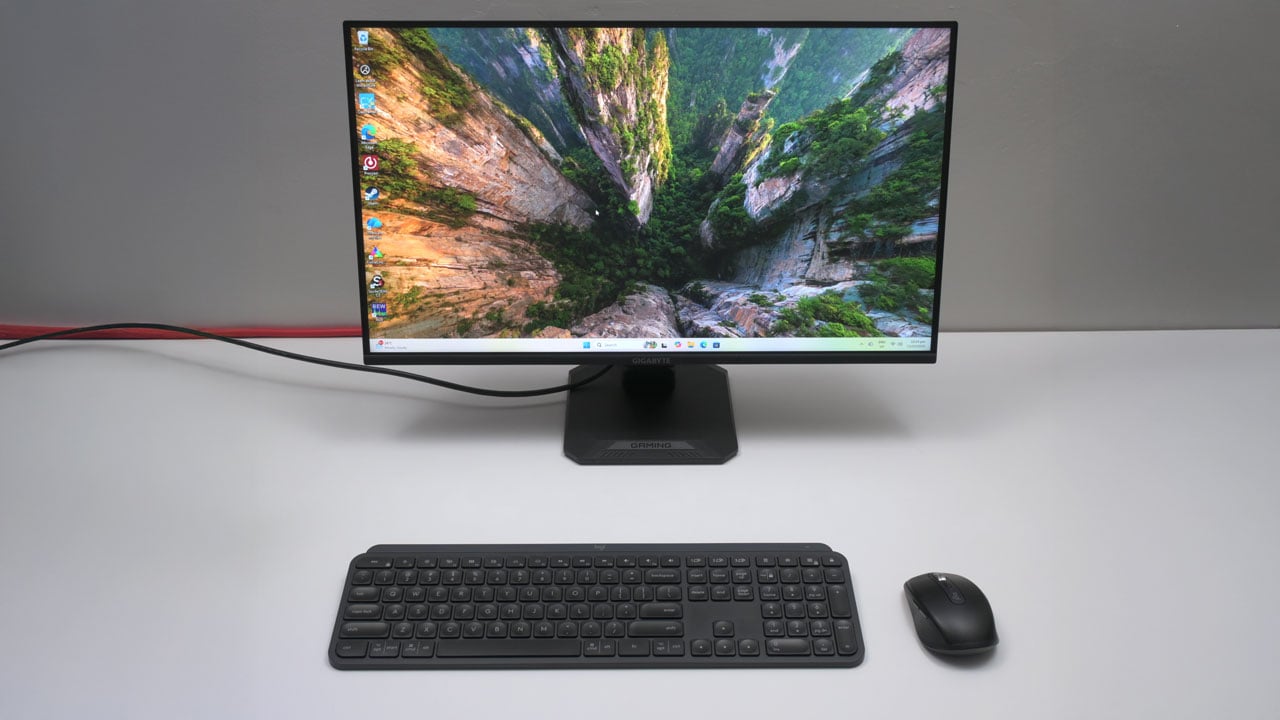
For competitive gamers, every frame counts. GIGABYTE is bringing the high-speed experience to the masses with its new GS25F2 monitor. For just ₱7,495, it delivers a 200 Hz refresh rate in a 24.5-inch Super Speed IPS panel package. We put it to the test to see if this budget monitor can deliver an immersive and game-winning experience.
Disclosure: This review is fully independent. While GIGABYTE supplied the sample, they had no role in our testing, opinions, or final verdict.
Table of Contents:
Technical Specifications
The GIGABYTE GS25F2 is a 24.5-inch gaming monitor built around a Super Speed IPS (SS IPS) panel. It features a Full HD (1920 x 1080) resolution, a 200 Hz refresh rate, and a 1 ms Gray-to-Gray (GtG) response time. The panel boasts a 120% sRGB color gamut, a 1000:1 contrast ratio, and a typical brightness of 300 nits.
| Display | |
|---|---|
| Panel Size | 24.5 in |
| Panel/Backlight | SS IPS, Edge-lit |
| Surface Treatment | Non-Glare |
| Resolution | 1920 x 1080 (16:9) |
| Pixel Density | 89.91 ppi |
| Refresh Rate | 200 Hz |
| Variable Refresh Rate | Adaptive-Sync |
| Brightness | 300 cd/m2 |
| Contrast Ratio | 1000:1 |
| Response Time | 1 ms GtG |
| Color Coverage | 120% sRGB |
| Color Depth | 8-bit + FRC |
| Connectivity | |
| Display | HDMI 2.0, DisplayPort 1.4 |
| USB | N/A |
| Audio | 3.5 mm (Out), 2 W stereo speaker |
| Ergonomics | |
| VESA Mount | 100 x 100 mm |
| Pivot | N/A |
| Swivel | N/A |
| Tilt | -5°/+20° |
| Lift | N/A |
| Anti-strain | Flicker-Free |
| Dimensions | |
| Length | 556.9 mm |
| Width | 51.3 mm |
| Height | 321.5 mm |
| Weight | 2.73 kg (without stand) |
Packaging and Accessories
The GIGABYTE GS25F2 comes in a box, securely nestled in a two-piece molded polystyrene foam for protection.
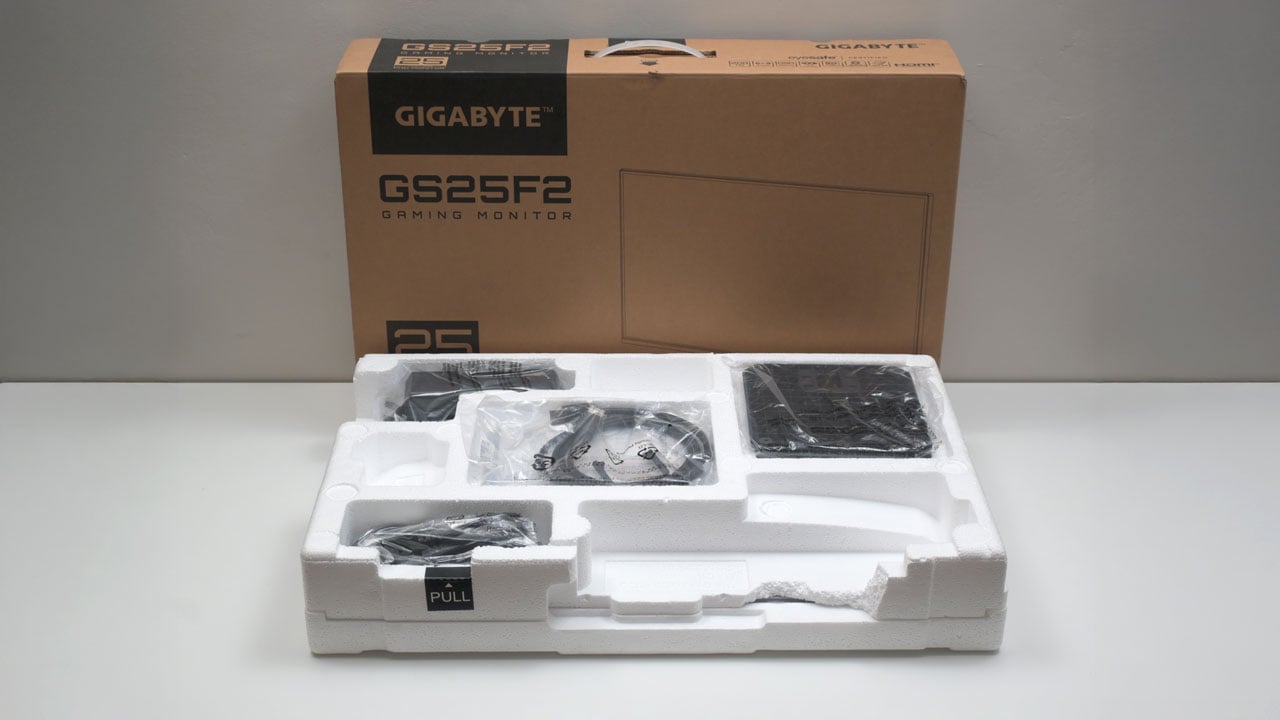
Scope of delivery are as follows:
- GIGABYTE GS25F2 monitor
- Power cable
- HDMI cable
- Documentation(s)
Design, Build and Connectivity
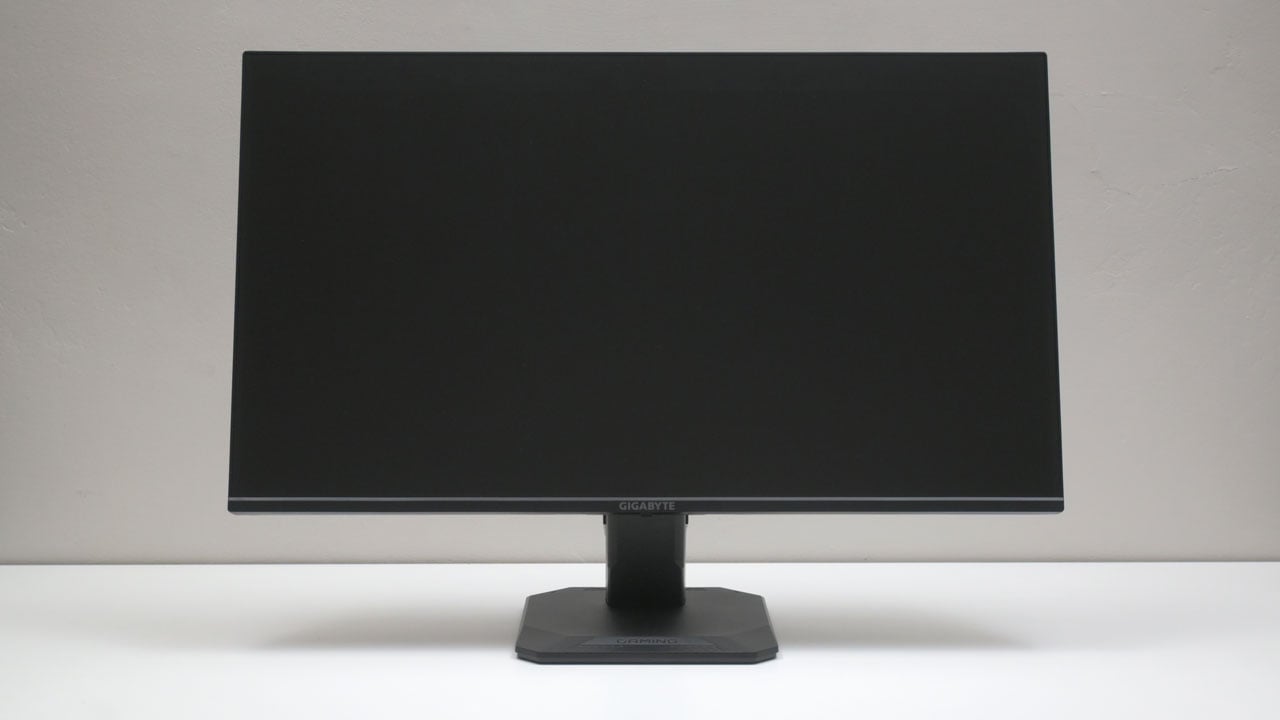
I appreciate the GIGABYTE GS25F2’s simple design; its front-facing look is unassuming and not flashy, which perfectly complements the monitor’s standing as a simpler 24.5-inch gaming option in today’s market. It also offers joystick navigation – which is a huge plus for its slated price.
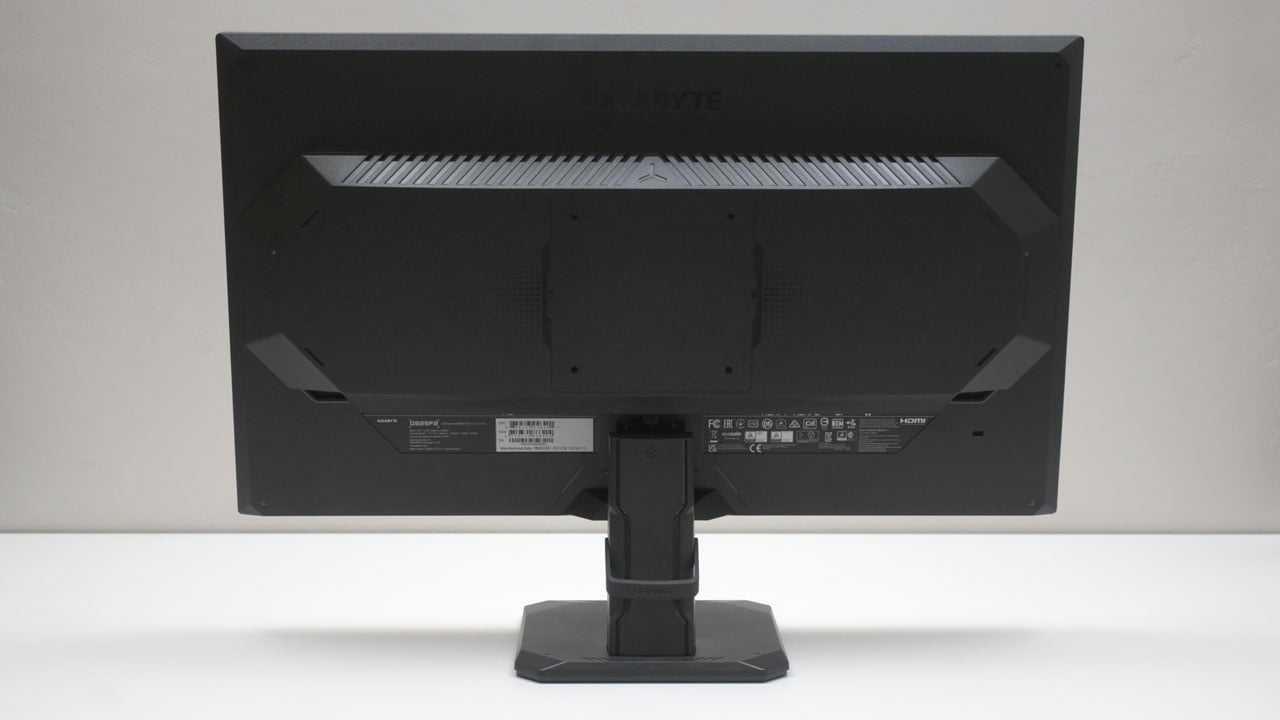
The GS25F2 sports a sleek, accented, gaming-inspired design on the back. Since it weighs just 2.73 kilograms without the stand, it’s light enough to accept the majority of 100 x 100 VESA mounting solutions.
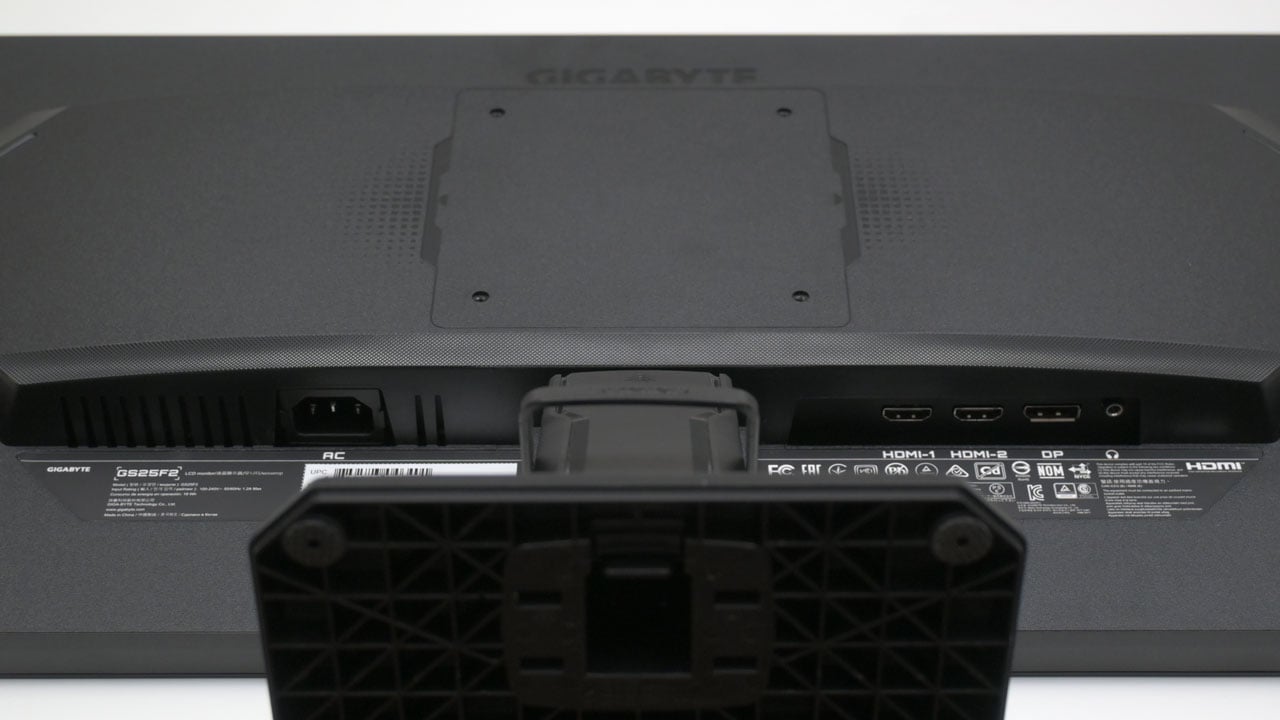
Connectivity options are basic. From the left, we have an IEC C14 power port, dual HDMI ports, a single HDMI port, and a 3.5 mm headset port.
Ergonomics
The GIGABYTE GS25F2, with its 1920 x 1080 resolution on a 24.5-inch screen (89.91 PPI), achieves maximum clarity when positioned at least an arm’s length away. However, closer viewing is acceptable as long as the monitor doesn’t dominate your peripheral vision.
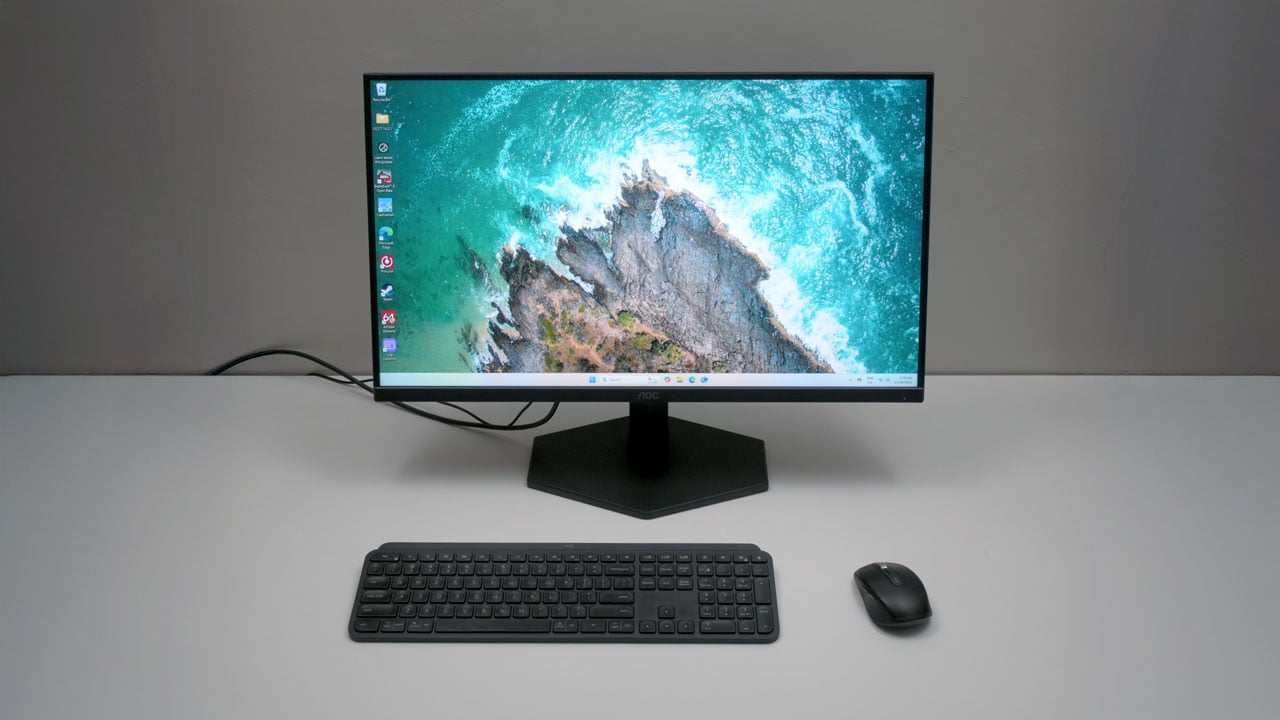
Given the GS25F2’s restricted tilting range, we advise pairing it with a quality VESA mount for enhanced ergonomic flexibility.
OSD Menu
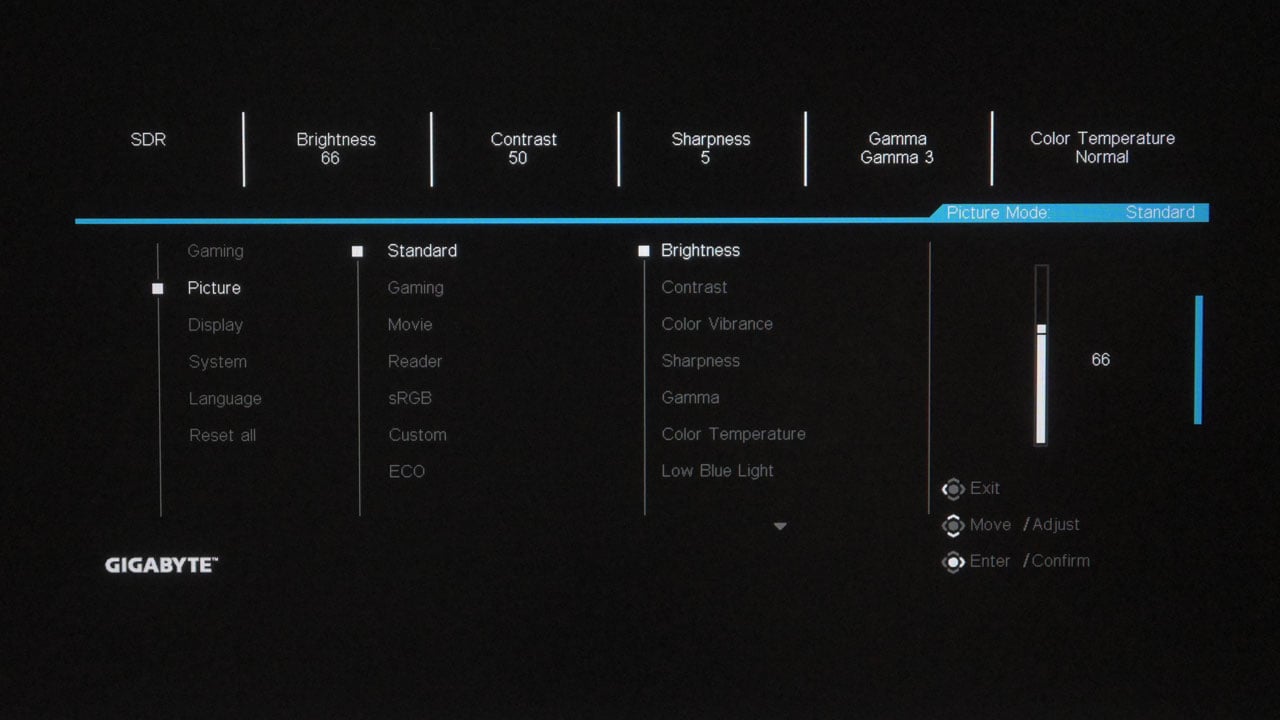
The GS25F2 utilizes a straightforward four-layer OSD menu that pairs perfectly with its joystick-based navigation. The ‘Gaming’ tab sits at the top of the list, providing quick access to the monitor’s primary performance settings.
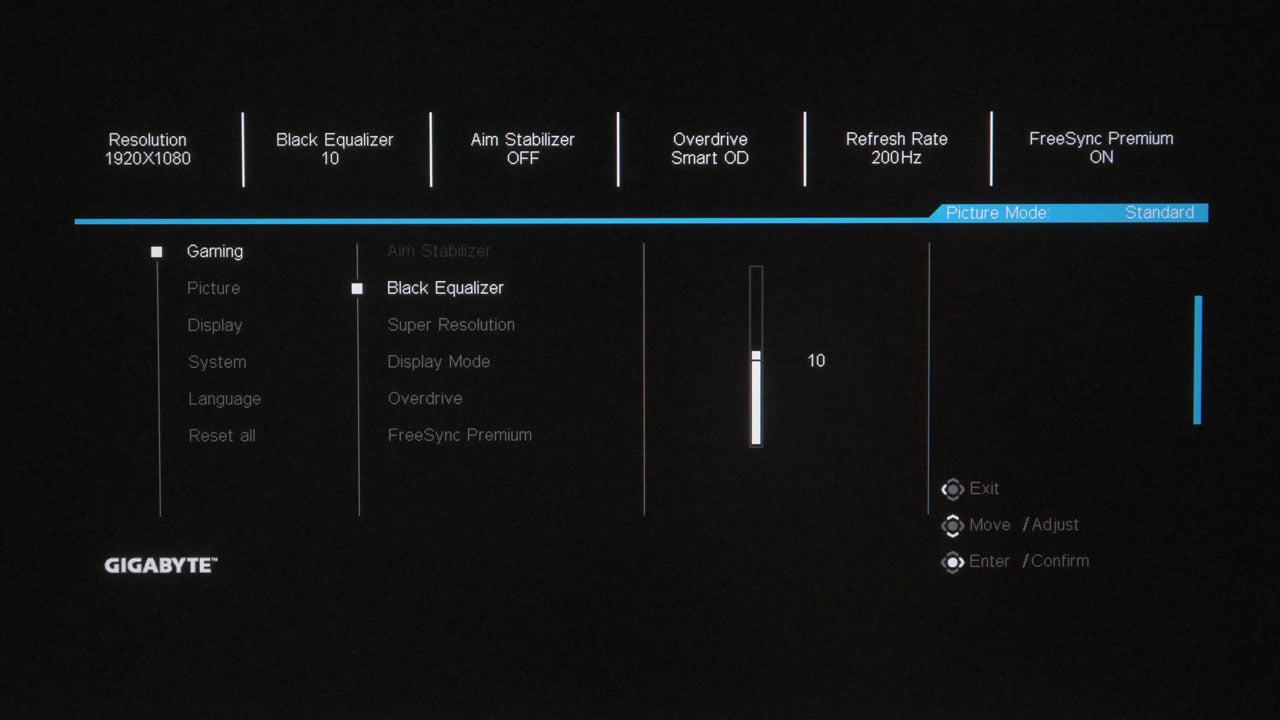
The ‘Picture’ menu allows you to select a preset and fine-tune specific parameters – such as brightness, contrast, gamma, and color temperature – for each profile. Please note that certain settings may be locked depending on the selected profile or preset.
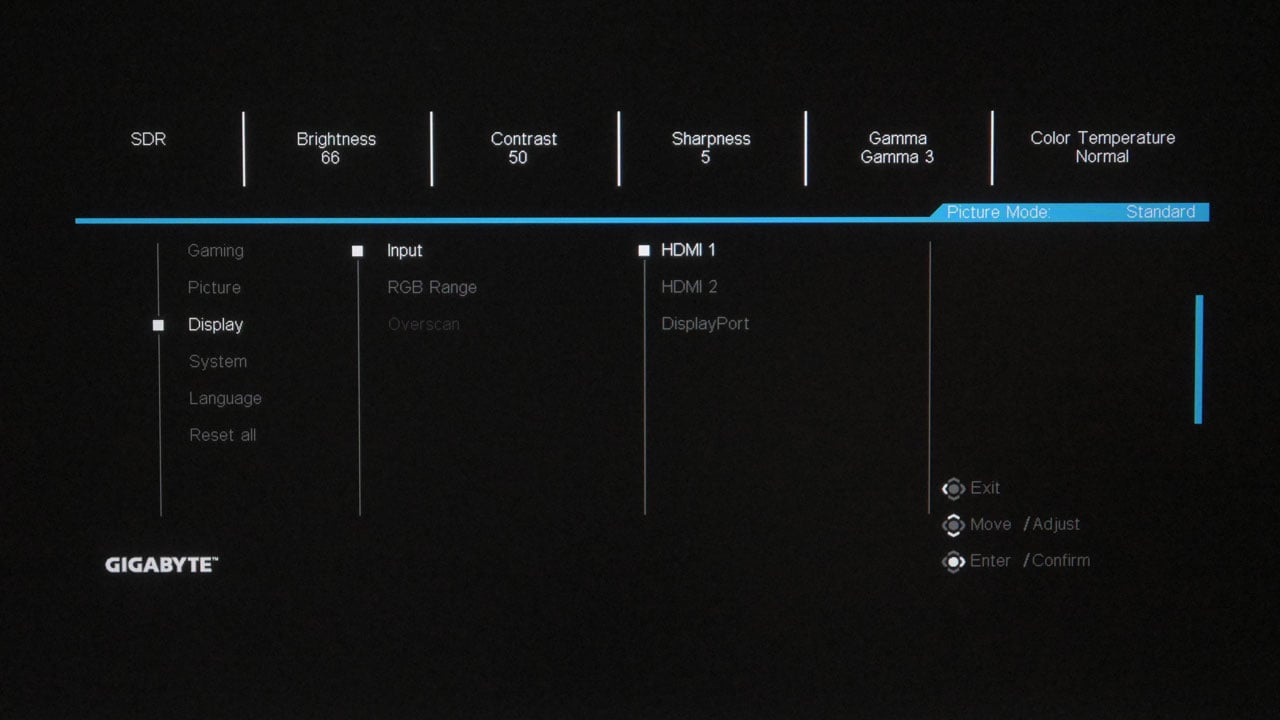
The ‘Display’ menu offers input selection and RGB range adjustments, but surprisingly, it also includes an overscan toggle for the GS25F2 – a feature typically associated with legacy displays rather than modern panels.
OSD Presets
Out of the GIGABYTE GS25F2’s seven picture presets, we selected Standard mode as our calibration baseline. However, for users lacking calibration hardware, Reader mode is an excellent alternative, offering a near-ideal 6500K white point right out of the box.
| Spyder5 ELITE | OSD Settings | ||||
|---|---|---|---|---|
| Settings | Brightness (cd/m²) | Black Level (%) | Contrast (:) | White Point (K) |
| Standard | 134.2 | 0.18 | 730:1 | 7300 |
| Gaming | 201.0 | 1.01 | 200:1 | 8700 |
| Movie | 261.6 | 0.72 | 360:1 | 7700 |
| Reader | 145.3 | 0.22 | 660:1 | 6500 |
| sRGB | 113.2 | 0.16 | 710:1 | 7800 |
| Custom | 274.6 | 0.36 | 760:1 | 7500 |
| ECO | 139.1 | 0.19 | 720:1 | 7300 |
OSD settings are as follows:
- Preset = Standard
- Brightness = 47 (120 cd/m²)
- Contrast = 50
- Color Temperature = Normal
- Gamma = 3 (2.2)
If you’d like to try the calibrated profile for the GIGABYTE GS25F2, just drop us an email via the contact page.
Gamut
While sRGB and DCI-P3 gamuts are solid, rocking 100% and 92% coverage respectively, the GS25F2 struggles with AdobeRGB and NTSC. This limits its utility for professional workflows, though it is an expected compromise for this class of monitor.
| Spyder5 ELITE | Gamut, Percent (%) | ||||
|---|---|---|---|---|
| Color Space | sRGB | AdobeRGB | DCI-P3 | NTSC |
| Measured | 100 | 86 | 92 | 83 |
Tone Response
Although the tone response curves for the 1.8, 2.2, and 2.4 gamma settings (1,2,3) deviate slightly from the strict specification, they track very closely to standard values.
| Spyder5 ELITE | Tone Response, Gamma (γ) |
||||||
|---|---|---|---|---|---|---|
| Settings | Off | Gamma 1 | Gamma 2 | Gamma 3 | Gamma 4 | Gamma 5 |
| Measured | 2.3 | 1.9 | 2.1 | 2.3 | 2.5 | 2.7 |
Brightness and Contrast
The GS25F2 exhibits respectable brightness, peaking at 284.1 cd/m² – just shy of GIGABYTE’s specified 300 cd/m². Regarding contrast, the panel achieved a maximum contrast ratio of 760:1 at 75% brightness and contrast settings, excluding the typical anomalies found at 0%.
| Spyder5 ELITE | Brightness and Contrast, SDR | ||||
|---|---|---|---|---|
| Settings | Brightness (cd/m²) | Black Level (%) | Contrast (:) | White Point (K) |
| 0% | 11.9 | 0.00 | 11850:1 | 7100 |
| 25% | 56.2 | 0.13 | 450:1 | 7100 |
| 50% | 140.9 | 0.19 | 730:1 | 7300 |
| 75% | 196.2 | 0.26 | 760:1 | 8100 |
| 100% | 284.1 | 0.37 | 760:1 | 8200 |
Screen Uniformity
Although it doesn’t set a new benchmark, the GS25F2’s color uniformity is commendable, posting a Delta-E average of 1.22.

Regarding luminance uniformity, the GS25F2’s panel performs decently with an average Delta-E of 6.44. It is worth noting that the bottom edge is approximately 12-13% darker, though this deviation is unlikely to affect the overall viewing experience.

Color Accuracy
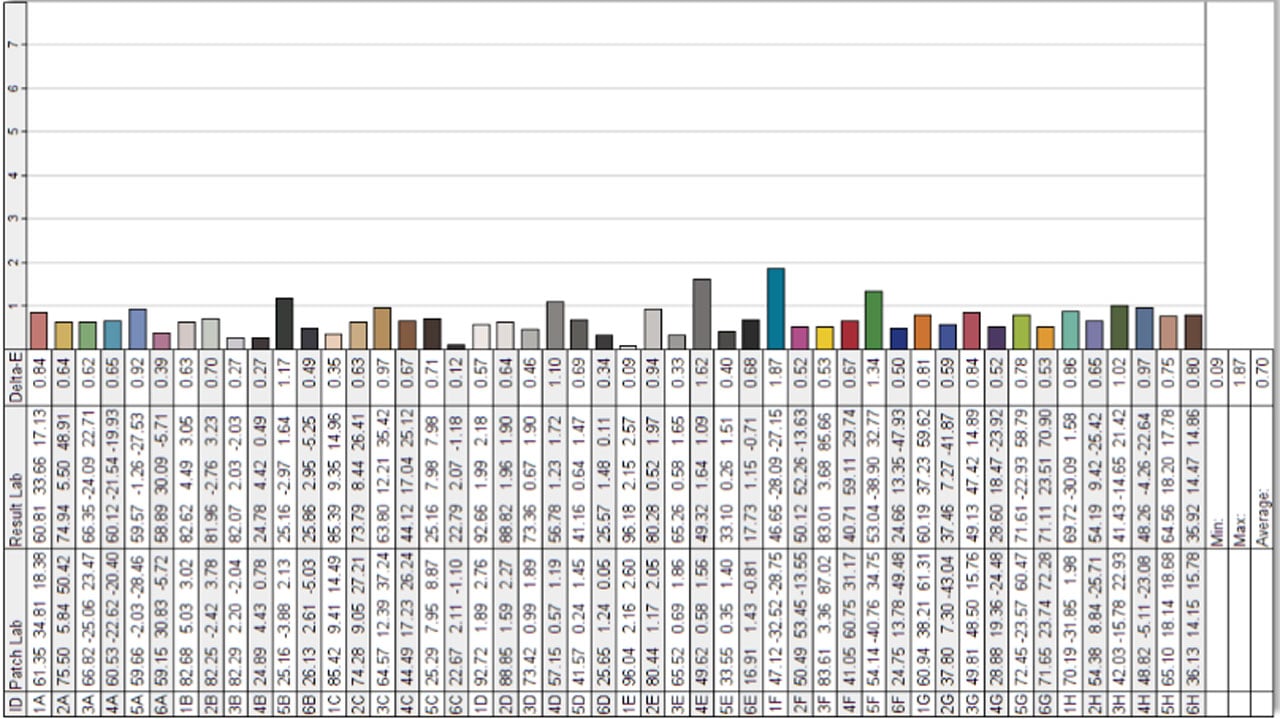
The GIGABYTE GS25F2 delivers exceptional performance with an average color accuracy (Delta-E) of 0.70. This ranks among the best results I’ve encountered, edging out even the recently tested AOC Gaming 27G11ZE2.
Response Time
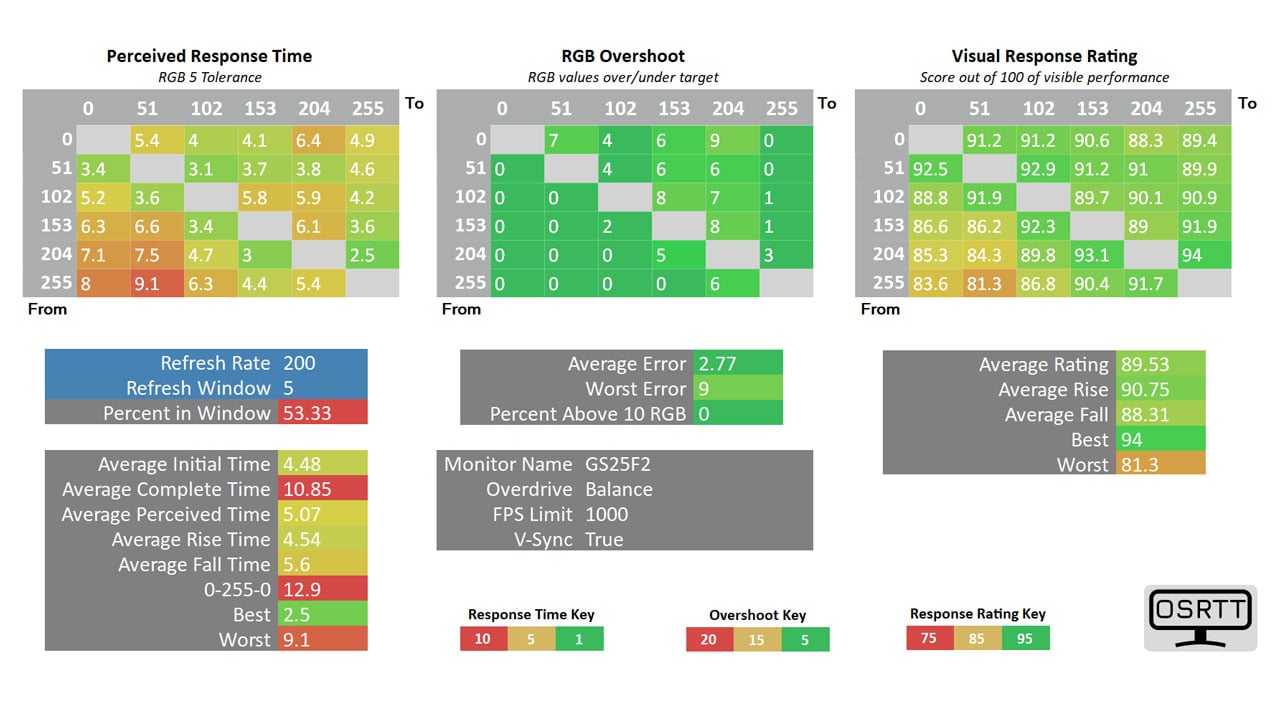
For the optimal experience at 200 Hz, I recommend the ‘Balance’ overdrive setting. This mode allows the GS25F2 to shine, delivering a 5.07 ms response time with a controlled 2.77% overshoot for a visual response rating of 89.53. While most other options were too slow, ‘Smart OD’ remains a viable alternative depending on your personal preference.
Input Lag
Complementing its motion clarity, the GS25F2 maintains a low display latency of 5.17 ms, confirming its viability for competitive gaming scenarios.
Power
In terms of power consumption, the GS25F2 is quite efficient. At a standardized brightness of 120 cd/m², it draws just 15.08 watts. Even when pushed to its peak brightness of nearly 300 cd/m², power draw remains modest at 23 watts.
Final Thoughts
The GIGABYTE GS25F2 is a compelling reminder that high-performance gaming doesn’t always require a high-end budget. For a retail price of just ₱7,495, GIGABYTE has successfully opened the 200 Hz experience to the crowd, offering competitive gamers a responsive and fluid display without the premium tax usually associated with high refresh rate displays.
What truly surprised us, however, was the monitor’s out-of-the-box color performance. With an average Delta-E of just 0.70, the GS25F2 punches well above its weight class, outperforming even some pricier competitors in color fidelity. When paired with its low input lag and respectable motion clarity – particularly using the ‘Balance’ overdrive setting – it delivers a gaming experience that feels distinctively “pro” for an entry-level price.
Naturally, compromises were made to hit this price point. The contrast ratio is average, and the included stand offers limited ergonomic adjustments. However, given the lightweight nature of the panel and VESA compatibility, these are easily rectifiable issues.
If you are a competitive shooter or esports enthusiast on a strict budget, the GIGABYTE GS25F2 isn’t just a good choice – it is arguably one of the best value-for-money investments you can make for your setup right now.
GIGABYTE GS25F2 Monitor ₱7,495

Product Name: GS25F2
Product Description: The GIGABYTE GS25F2 is a 24.5-inch Super Speed IPS monitor featuring Full HD resolution, a 200 Hz refresh rate, and a 1 ms response time.
Brand: GIGABYTE
Summary
The GIGABYTE GS25F2 is an outstanding value for competitive gamers. At just ₱7,495, it combines a fluid 200 Hz refresh rate with exceptional color accuracy (Delta-E 0.70) rarely seen in this price range.
Pros
- 200 Hz refresh rate for under ₱7,500
- Outstanding Delta-E average of 0.70
- Low input lag and decent motion clarity on ‘Balance’ mode
- Joystick navigation is a premium touch at this price point
- Low power draw even at peak brightness
Cons
- Limited tilt range and no height adjustment (VESA mount recommended)
- Black levels are average (760:1), typical for budget IPS
- Basic port selection with no USB hub


I’d like to try the calibrated profile for the GIGABYTE GS25F2
calibrated profile for the GIGABYTE GS25F2