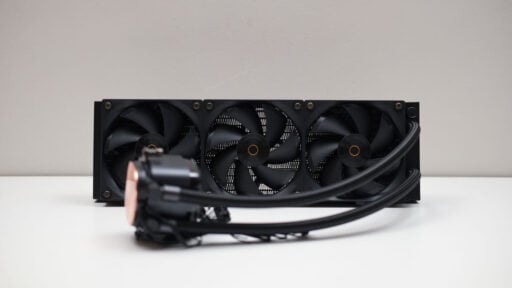
The Ocypus Iota L36 CPU Cooler is a 360 mm liquid cooling system from Ocypus, a fresh contender in the PC hardware market, now up for review.
Disclosure: Ocypus supplied the Iota L36 for this review. The brand had no control over the feedback or commentary about the product.
Table of Contents:
Technical Specifications
The Iota L36 is an all-in-one liquid cooler with a 360 mm radiator and three quiet 120 mm fans. It is built to support processors with up to 300 W TDP and comes in Black and White options, priced at $99 USD.
| Cooler | |
|---|---|
| Compatibility | Intel LGA 115X, 1200, 1700, 1851; AMD AM4, AM5 |
| TDP | 300 W |
| Type | Liquid cooler |
| Material | Aluminum radiator, Copper base |
| Fan | |
| Size | 120 mm |
| Speed | 500-2000 RPM |
| Noise | ≤ 29 dBA |
| Airflow | 77 CFM |
| Dimensions | |
| Length | 136 mm |
| Width | 127 mm |
| Height | 156 mm |
| Weight | 1550 grams |
Packaging and Accessories
The Iota L36 comes in a boxed packaging.

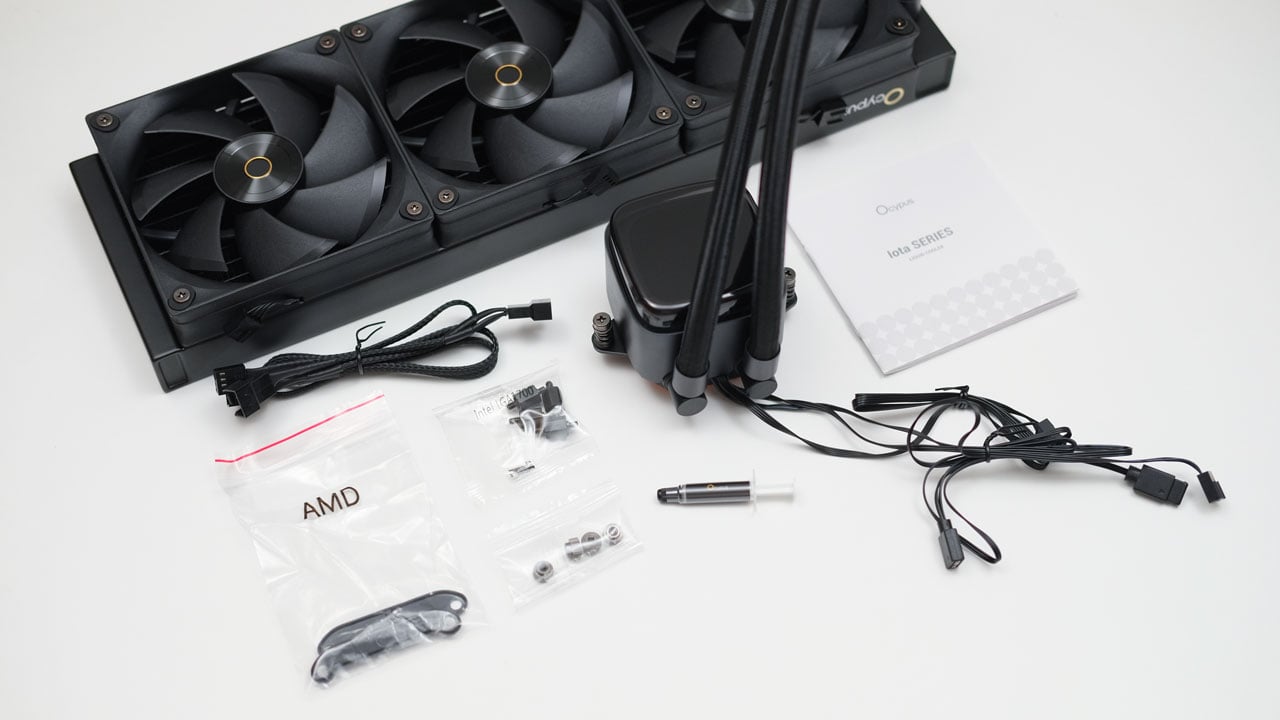
Scope of delivery are as follows:
- Ocypus Iota L36 CPU cooler
- Intel mounting kit
- AMD mounting kit
- Ocypus branded thermal interface material
- 4-pin Y-splitter cable
- Documentation(s)
Design, Build and Connectivity
The Iota L36 is a 360 mm liquid cooler with a sleek and stylish design, a trademark of Ocypus. It’s a great design choice that should complement most systems.
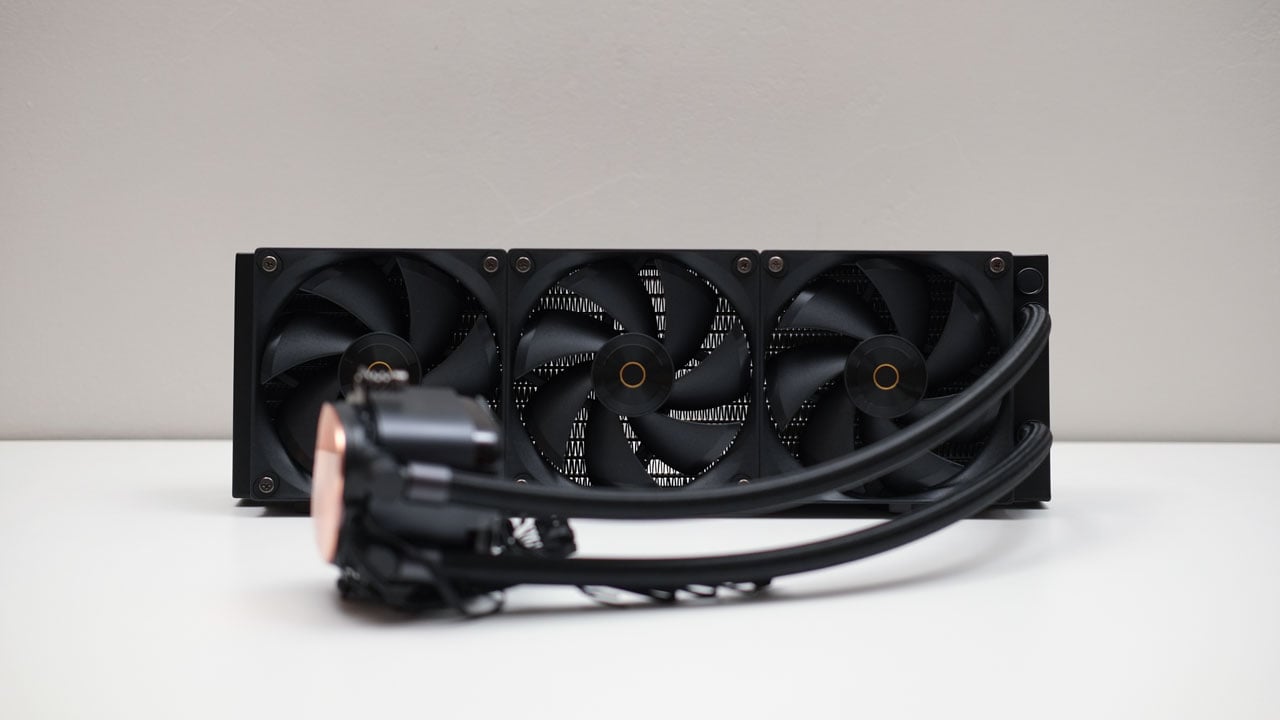
The Iota L36 features a stylish pump housing with a translucent cover that houses the ARGB LEDs and the matrix temperature display. Underneath lies the ceramic bearing pump, and the cooper cold plate. Connectivity on the other hand are a courtesy of 3-pin power for the pump, a LED header, and a USB 2.0 header.
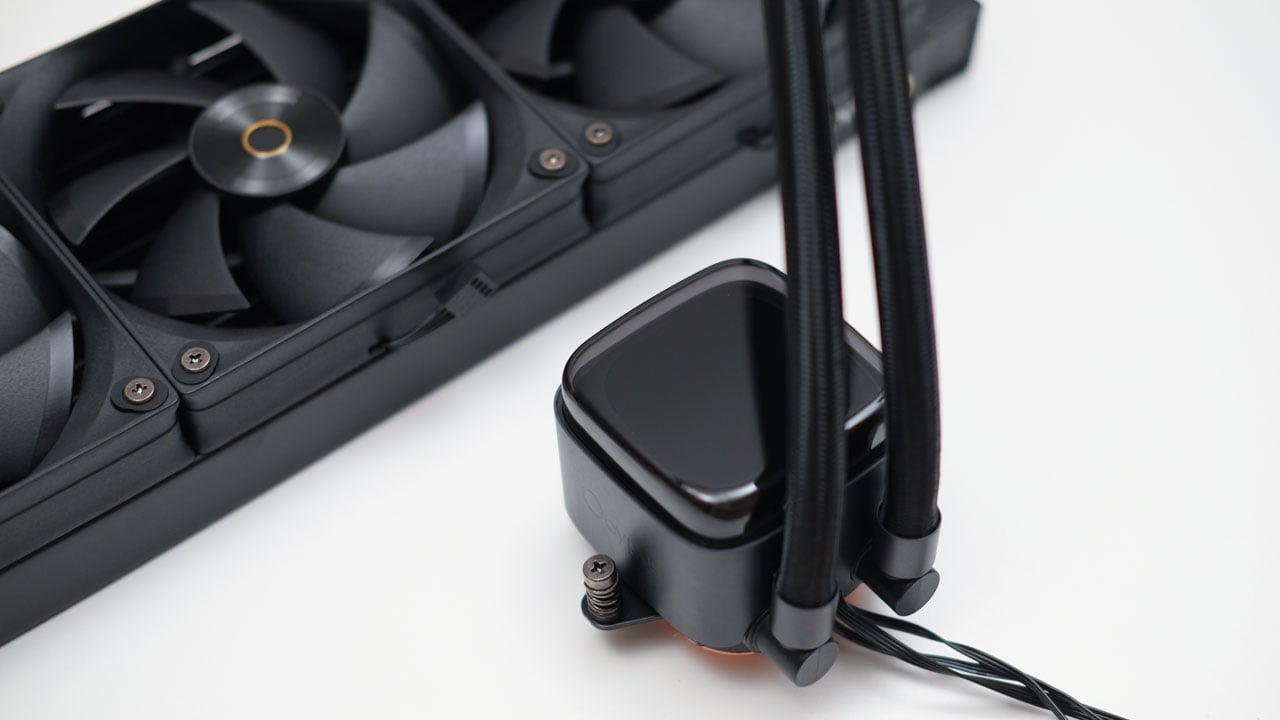
The fans used are triple 120 mm FDB models with a 7-blade design. They feature integrated rubber dampeners and can reach speeds of up to 2000 RPM. Connection is cut short in favor of ease of installation.

Installation and Clearance
Installing the Iota L36 is easy as long as you follow the instructions in the manual. As usual, AMD’s mounting process is simpler than Intel’s because it eliminates the need to deal with an extra backplate.
The Iota L36 works great with LED-enhanced builds, but you can easily place it in a more understated system too. Personally speaking, timeless designs always outshine edgy ones at any given day.

Software
The Iota L36 offers a downloadable software for its LED lighting dubbed as the Ocypus Digital (previously Glyph), enabling a section of the pump cover to display either your CPU or GPU’s temperature. For it to work, you have to connect the cooler to your motherboard via a USB 2.0 header.

While simple to use, my main concern is its aggressive behavior. Plugging in the USB header automatically initiates a software download and installation without permission. This creates a major security risk, and I hope Ocypus resolves this issue.
Temperature
The Iota L36 was tested with the AMD Ryzen 9 7900X at 65 W, 105 W, and 170 W settings. It performed well at 65 W and 105 W profiles, but at 170 W, the temperature reached an uneasy 95 °C, which is the TJ Max of the processor. Nowhere near 300 W, so just like the last Ocypus air cooler tested, this claim doesn’t hold up well.
Noise
The Iota L36 has an impressive noise level, staying manageable even at 100%. Personally, I find it ideal to run the cooler at a maximum of 75% PWM, which translates to roughly 1500 RPM.
| Sound Level Meter | Noise | ||
|---|---|---|
| PWM (%) | Noise (dBA) | Speed (RPM) |
| 25 | 32.4 | 642 |
| 50 | 34.8 | 1123 |
| 75 | 42.3 | 1567 |
| 100 | 50.2 | 2054 |
Final Thoughts
The Ocypus Iota L36 makes a strong first impression with its sleek aesthetics, quiet operation, and competitive $99 price point. For builders with mainstream CPUs running at stock or moderately overclocked settings (up to the 105 W range), it offers respectable thermal performance without generating excessive noise. The simple installation process and the stylish ARGB pump with its integrated temperature display are definite highlights that add to its appeal.
However, the cooler’s performance claims do not hold up under heavy loads. The advertised 300W TDP is far from achievable, as evidenced by its struggle to keep a 170W Ryzen 9 7900X below its thermal limits. This makes it unsuitable for those who are looking to push high-end processors. The most alarming issue, however, is the Ocypus Digital software’s behavior of downloading and installing itself without user permission – a significant security vulnerability that urgently needs to be addressed by the manufacturer.
In conclusion, while the Ocypus Iota L36 has the makings of a good budget 360 mm liquid cooler, its thermal limitations (considering its claims) and aggressive software prevents it from earning a strong recommendation. However, it is still a decent choice for budget-conscious gamers who prioritize aesthetics and low noise for less demanding systems. Enthusiasts and security-conscious users should look elsewhere though.
Ocypus Iota L36 CPU Cooler $99

Product Name: Iota L36
Product Description: The Ocypus Iota L36 is a 360mm all-in-one liquid cooler with a dot-matrix digital display that shows real-time CPU or GPU temperatures. It features customizable ARGB lighting, a quiet and powerful pump, and high-performance, low-noise fans.
Brand: Ocypus
Summary
The Ocypus Iota L36 is a visually appealing and quiet liquid cooler offered at an attractive price point, making it a solid choice for mainstream systems. However, its cooling performance falls significantly short of the advertised TDP for high-end processors, and its software installs automatically without user consent, which is a major security risk.
Pros
- Features a clean, stylish design that complements various system builds
- 120 mm fans remain relatively quiet, even at higher RPMs
- Mounting process is straightforward, especially for AMD sockets
- At $99 USD, it is an affordable entry into the 360 mm AIO market
- Integrated temperature display is a convenient and attractive addition
Cons
- Struggling significantly at 170 W
- Intrusive software poses a major security risk