NVIDIA has once again redefined the boundaries of AI-driven gaming performance with the announcement of DLSS 4.5. Building on the foundation of the transformer-based DLSS 4, the new update introduces a massive leap in image quality for all RTX users and a ground-breaking “6x” frame generation mode exclusive to the new GeForce RTX 50 Series.
Table of Contents:
2nd Gen Transformer Super Resolution
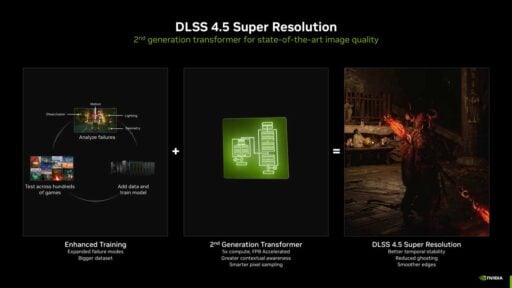
The centerpiece of DLSS 4.5 for the entire RTX family (RTX 20, 30, 40, and 50 series) is the 2nd Generation Transformer Model for Super Resolution. This new AI model utilizes five times the compute power of its predecessor and has been trained on a vastly expanded, high-fidelity dataset.
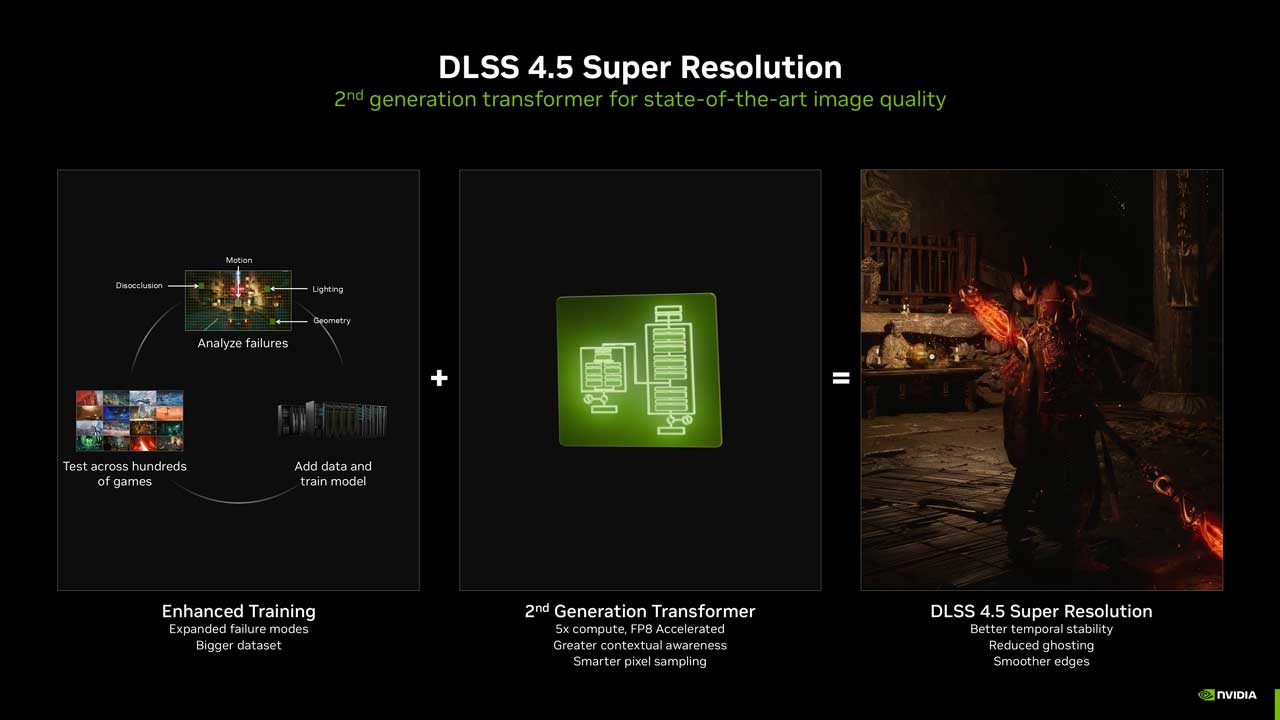
Unlike previous versions that operated in logarithmic space, DLSS 4.5 processes data in linear space—the game engine’s native ground truth. This technical shift solves long-standing issues with muted lighting and “crushed” shadows. High-contrast elements like neon signs and bright reflections now retain their full color range and physical accuracy. NVIDIA claims that “Performance Mode” can now match or even exceed native image quality, while “Ultra Performance” has finally become a viable option for high-end 4K gaming.
Dynamic Multi-Frame Generation
For those on high-end hardware, DLSS 4.5 introduces Dynamic Multi-Frame Generation. This feature is designed specifically for the GeForce RTX 50 Series and introduces a staggering 6x Multi-Frame Generation mode.
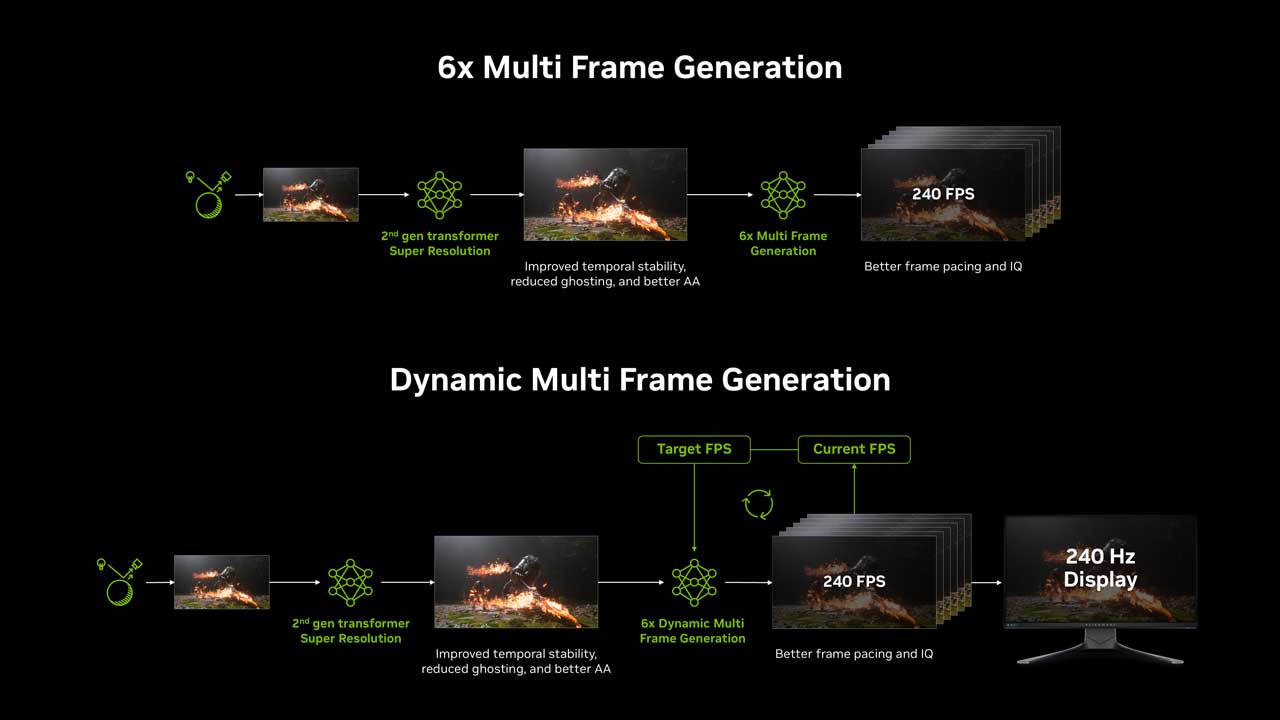
By generating up to five AI frames for every one traditionally rendered frame, DLSS 4.5 can dynamically push performance to match a monitor’s maximum refresh rate. In demanding titles featuring full path tracing, this technology enables consistent 240+ FPS gameplay, ensuring that even the most intensive visual effects do not compromise fluidity.
DLSS Version Comparison Table
To help visualize the evolution of this technology, here is a comparison of DLSS 4.5 against previous major iterations of NVIDIA’s Deep Learning Super Sampling.
| Feature | DLSS 2.x | DLSS 3.x | DLSS 4.0 | DLSS 4.5 (New) |
| Core AI Architecture | Convolutional Neural Network (CNN) | Convolutional Neural Network (CNN) | 1st Gen Transformer Model | 2nd Gen Transformer Model |
| Super Resolution Processing | Logarithmic Space | Logarithmic Space | Logarithmic Space | Linear Space (Native Precision) |
| Primary Features | Super Resolution (Upscaling) | Frame Gen & Ray Reconstruction | 4x Frame Gen | 6x Dynamic Frame Gen |
| Max Frame Multiplier | N/A (Upscaling only) | 2x (1 generated per 1 real) | 4x (3 generated per 1 real) | 6x (5 generated per 1 real) |
| AI Compute Power | Baseline | Baseline | 1x Transformer Compute | 5x Transformer Compute |
| SR Compatibility | All RTX GPUs | All RTX GPUs | All RTX GPUs | All RTX GPUs |
| Frame Gen Compatibility | N/A | RTX 40 & 50 Series | RTX 40 & 50 Series | RTX 50 Series (6X Mode) |
Game Support and Real-World Examples
NVIDIA demonstrated the technology using titles like Black Myth: Wukong and the newly revealed The Elder Scrolls IV: Oblivion Remastered. In these demos, DLSS 4.5 showed significant improvements in temporal stability, reduced ghosting in fast-moving scenes, and sharper anti-aliasing compared to DLSS 4.

Availability and Rollout
While DLSS 4.5 is officially “live,” it currently exists in a crossover state between the new driver (GeForce Game Ready 591.74 Driver) and the beta version of the NVIDIA App. To use it today, you must complete two steps:

- Install Driver 591.74: This is the foundational “Game Ready for DLSS 4.5” driver. It contains the necessary libraries and hooks for the new 2nd Gen Transformer model.
- Opt-In to NVIDIA App Beta: The standard version of the app does not yet show the necessary controls. You must go to Settings > About and check the box for “Opt in to access BETA or experimental features.”
- Once both are active, a new “DLSS Override” section appears in the Graphics tab. This allows you to force the DLSS 4.5 models (specifically Preset M, which is the new “Latest” standard) into any game that already supports DLSS Super Resolution.