Ever seen a video loop so seamlessly that you didn’t even notice it began again? That subtle magic trick—when motion matches, energy persists, and nothing jumps—isn’t just pleasing. It’s compelling. Smooth loops create content that feels boundless, hypnotic, and polished. And the good news? You don’t have to use After Effects or be a high-end editor to achieve it.
Whether you’re creating a 3-second product spot, a slow pan of a landscape, or a dancing transition for TikTok, Pippit simplifies the looping process to be both easy and beautiful. You just need a decent sense of rhythm, the appropriate type of footage, and a clean URL to video that you’re ready to revamp. Beyond that, it’s a matter of knowing where to cut and how to seam the loop seamlessly.

This tutorial will teach you how to perfect that looping deception—from selecting loop-worthy clips to editing, testing, and applying discreet finishing touches.
Table of Contents:
- 1 When the ending joins the start: what makes a successful loop?
- 2 Trimming for illusion: where edits create or destroy the loop
- 3 Creative hacks to conceal the seam
- 4 Color and brightness: make loops appear refined, not hastily edited
- 5 Loop formats: where shortform meets storytelling
- 6 Why your loop must conclude in emotion, not merely action
- 7 Loop it in perpetuity with Pippit
When the ending joins the start: what makes a successful loop?
Not all videos are loop-friendly. As soon as you lay a finger on the editing software, consider this: does the end have the ability to visually and emotionally return to the start without ambiguity?
Here’s what successful loop candidates typically possess:
- Smooth motion: Waves cresting, people walking around a circle, or a gradual zoom.
- Rhythmic timing: Things repeating naturally (such as a spin, bounce, or blink).
- Neutral transitions: No jarring cuts, flashes, or abrupt lighting shifts.
- Circular storytelling: Visuals that can start and stop at any moment.
You’re aiming for continuity. You want the brain of your viewer to think ‘Wait, did it just loop?’ rather than ‘Oh, it reset.’
Trimming for illusion: where edits create or destroy the loop
Loop magic occurs in the trim. Your role is not to merely shorten, but to sync. The video trimmer is your new BFF here, as it enables you to chisel a flawless start and end point where motion synchronizes, lighting synchronizes, and the vibe carries.
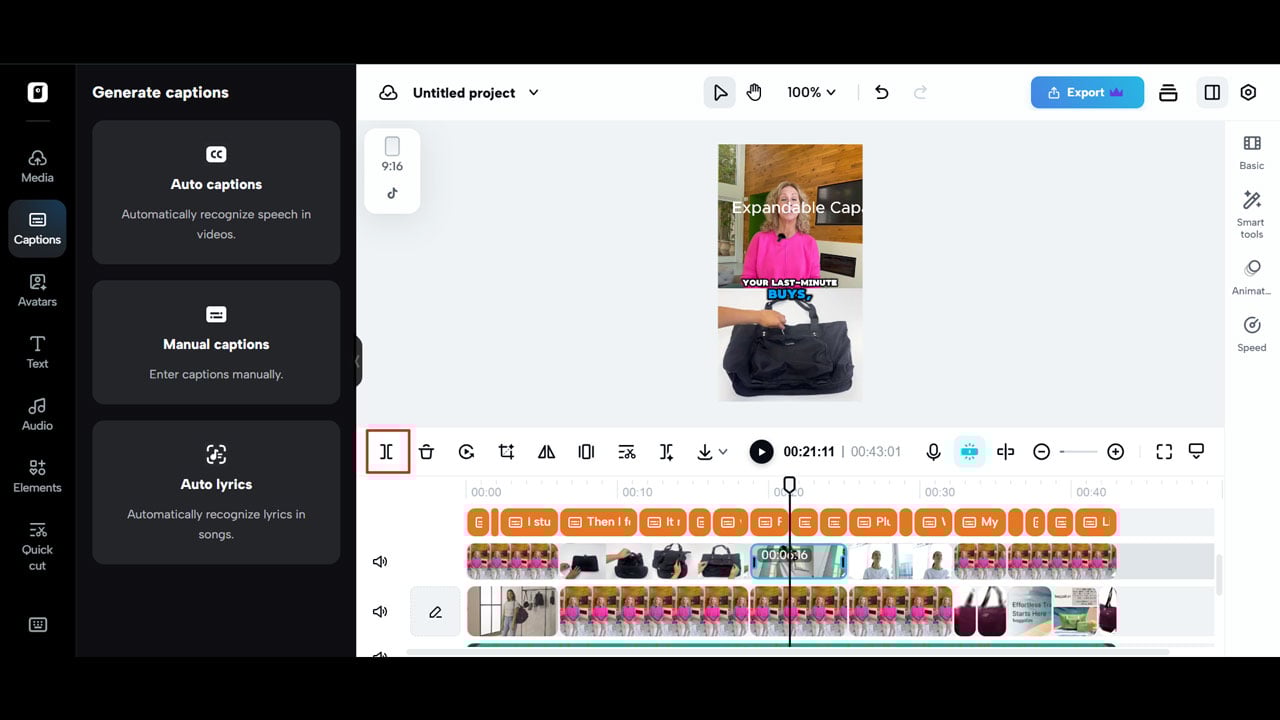
This is how you find the perfect trim moments:
- Find the loop motion: e.g., a hand picking up a coffee mug and putting it back down.
- Prevent open gestures: When a person is in mid-turn or mid-jump, the loop will be awkward.
- Trim in or out of impact: Don’t cut during a beat drop or impact moment. Apply soft cuts.
You can try out your editing by copying the clip one after the other and checking whether the join point is discernible. If the join point is noticeable, adjust again.
Creative hacks to conceal the seam
Occasionally, despite trimming with care, there’s still a subtle skip or mismatch. That’s when creative editing is your loop-saving Swiss knife. These hacks allow you to disguise the join and maintain the illusion.
- Match on motion
Trim where the motion is quick or blurred. That conceals inconsistencies better than still shots.
- Employ cross-dissolve or fade
A gentle 0.5-second dissolve between start and end smooths out the transition.
- Place a mask or overlay
A flickering light, moving shadow, or drifting object can conceal a transition within visual noise.
- Create an echo effect
Duplicate the last several frames in reverse, and then loop. The “ping-pong” effect may be smoother than a hard reset.
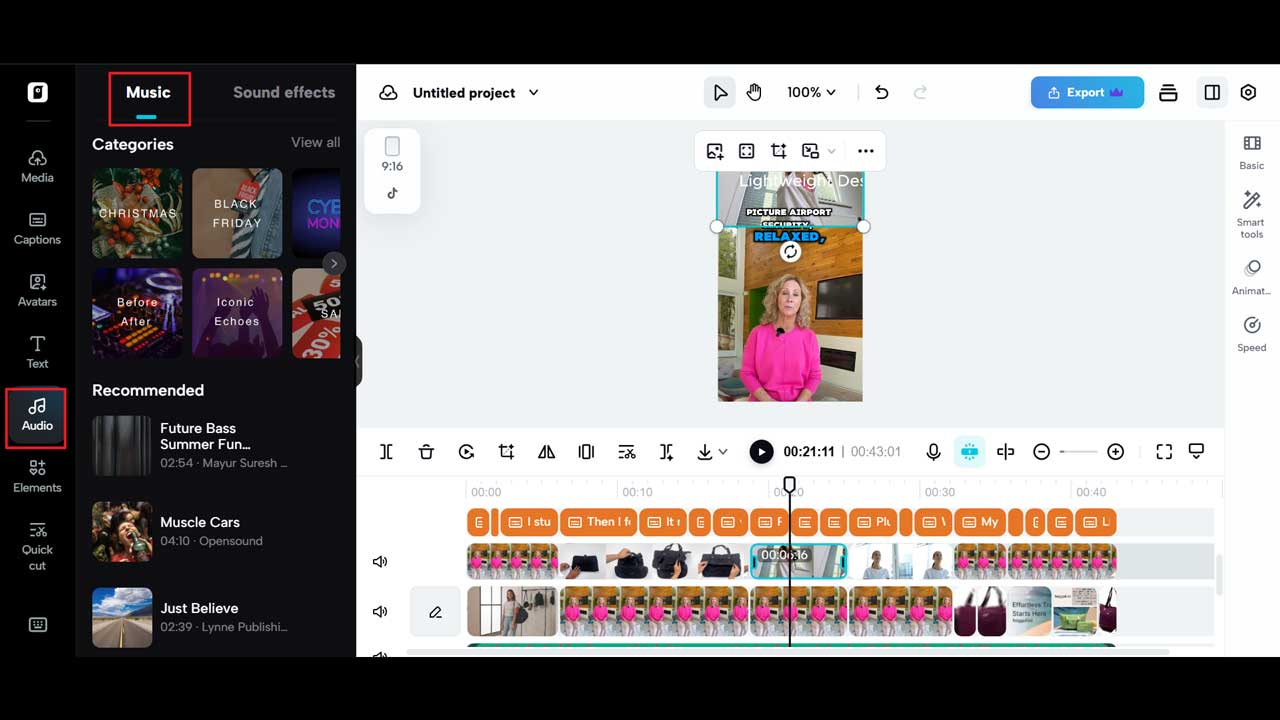
- Add ambient audio
Occasionally, it’s not the cut itself that gives it away—it’s sound. Use repetitive ambient noise to seam together the atmosphere.
Color and brightness: make loops appear refined, not hastily edited
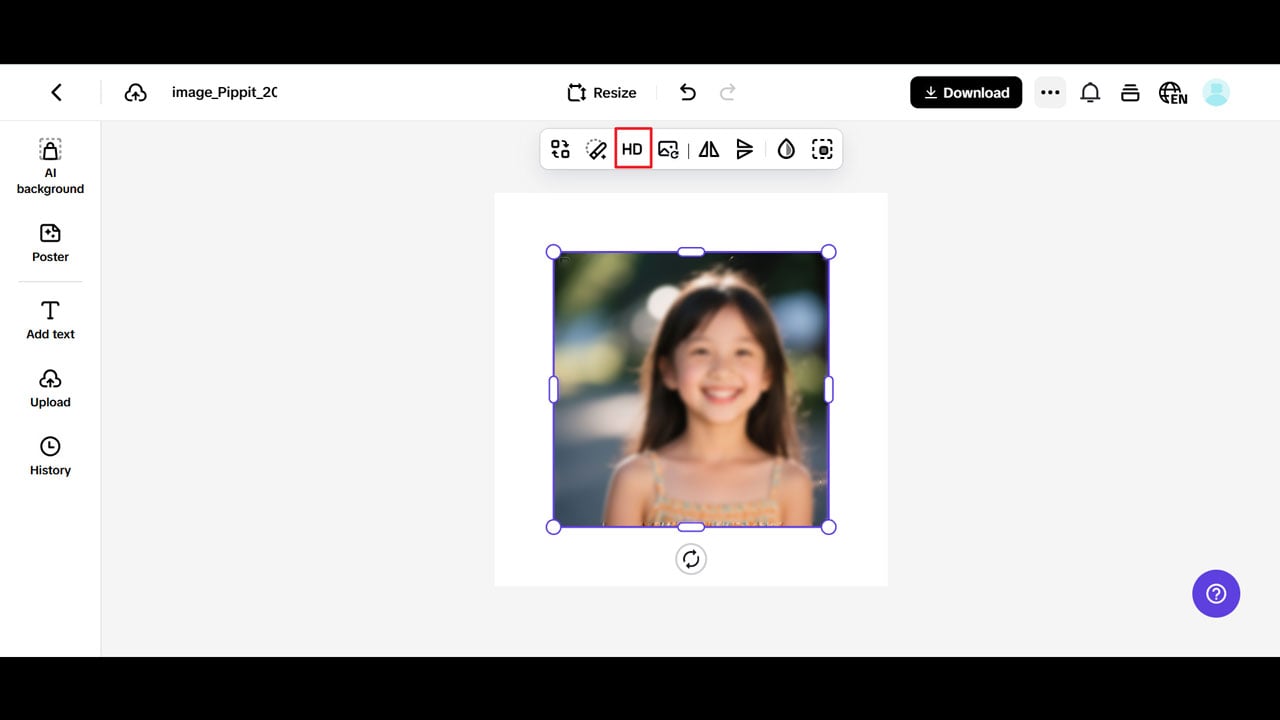
Once your clip loops smoothly, your next task is making it seem complete. That’s where visual polish comes in. With Pippit’s image enhancer online, you can refine the brightness, saturation, and contrast of your loop so that it appears studio-grade, not hurried.
Consider:
- Color blending between frames: Assists in unifying the beginning and ending second.
- Refining textures or blurring edges: Depending on your style.
- Adding grain or color overlay: Makes the video look like it’s part of a feed that is curated.
Bonus tip: Apply a consistent LUT (look-up table) or filter to all your loops to maintain a brand identity.
Loop formats: where shortform meets storytelling
Looped videos can be more than just visual candy—they can tell a story in circles. Whether you’re making aesthetic content, product reels, or motion graphics, the loop format adds endless rewatch value and hypnotic appeal.
Shortform aesthetics:
- Plant leaves swaying, candles flickering, raindrops falling
- Perfect for mood boards, meditation content, or artistic reels
- Paired with soft ambient audio or lo-fi music
Product highlights:
- A perfume bottle rotating endlessly
- A lipstick being applied and reset
- Hands folding a shirt back and forth in an endless motion
- Perfect for ads that are immersive but not too in-your-face
Animated titles or motion graphics:
- Bouncing, sliding, or typing-out text in a never-ending loop
- Combined with glitch effects or popular transitions
- Perfect for YouTube intro or story posts
Why your loop must conclude in emotion, not merely action
One of the most neglected aspects of a good loop is emotional closure. Just because a loop cycles again doesn’t mean that it can’t have feeling. In fact, the greatest ones do.
A good loop has:
- A beat or a breath—a moment of pause seconds before it begins again
- A visual echo—some aspect that recurs as a poetic cue
- A mood marker—whether it’s happiness, serenity, curiosity, or tension
When cutting, don’t ask yourself: where does the movement loop back? Ask yourself: where does the sensation reset? If you looped a laugh, cut it at the beginning of a smile, not at the climax of the laugh. If you looped a fire, cut it where the flame falls off—not where it ignites.
Loop it in perpetuity with Pippit
Seamless loops aren’t only fulfilling—they’re clever. They increase watch time, convey professionalism, and drive that can’t-look-away phenomenon responsible for driving viral moments. From developing a 3-second candle flicker to a 15-second motion story, it all begins with a tidy trim and ends with a flawless restart.
Pippit provides you with all you need in one location to get this done: a drag-and-drop editor, intelligent trimming features, and accurate export settings. From URL to video import to visual enhancements and loop fine-tuning, you’re never more than a few mouse clicks from scroll-stopping content.